
Why your AI-built app becomes impossible to change
Week one: one prompt, one feature. Week three: one prompt, three broken things. Why apps built with AI become impossible to change, a real SwiftUI example, and what to do from day one.

Imagine building a race car in your garage. It's red, it has six hundred horsepower, and every single part works. There's just one detail: when you turn the key, it takes three minutes to start. Nobody did anything wrong, exactly. Every part was bolted on where it was most convenient at the time. That's what happens to most apps built with AI, and this article is about why.
The curve that gets you there is one that anyone who has built something with AI will recognise, even if nobody ever drew it for them.
The first week feels unreal. You describe what you want, the AI builds it, it works. One prompt, one feature. In three days you have something running on your phone that a year ago would have cost you an agency and two months. You think you've cracked it. You start wondering why anyone still pays engineers. Hold that thought.
Then, around week two or three, something changes. You ask for a small change and something unrelated breaks. You ask to fix it and the AI rewrites half the file. You need three prompts for what used to take one. Parts of the project become places you don't dare touch, because they work and you don't know why. You reach 80% and stall, and the last 20% costs more than everything before it. It's like changing the tyres and discovering that the steering wheel now operates the wipers.
If this happened to you, you didn't do anything particularly wrong. It happens to everyone, and the reason isn't the quality of your prompts. It's about how software works, and the AI can't solve it on its own because the problem sits upstream of its choices.
What is actually happening
Every time you ask the AI to do something, it optimizes for one thing: making that thing work, now. That's what you asked, and it does it well. The catch is that it has no reason to ask how this new piece fits with the twenty you requested in the previous days, because it remembers none of them. Every session starts from zero. It can see the code, but not the decisions behind it: why a part is built that way, which rule it was following, what depends on what.
You can check the result by opening your project. The same operation, say fetching a user from the server, is written in three places in three different ways, because you asked for it at three different moments and each time the AI took the most convenient path. The same piece of data, an order status, a balance, a profile, lives in several places, and sometimes they disagree. Every part talks directly to every other part, because that was quicker to write. It's a car where the fuel line runs through the gearbox because that was the shortest path. Works perfectly, right up until you need to change the gearbox.
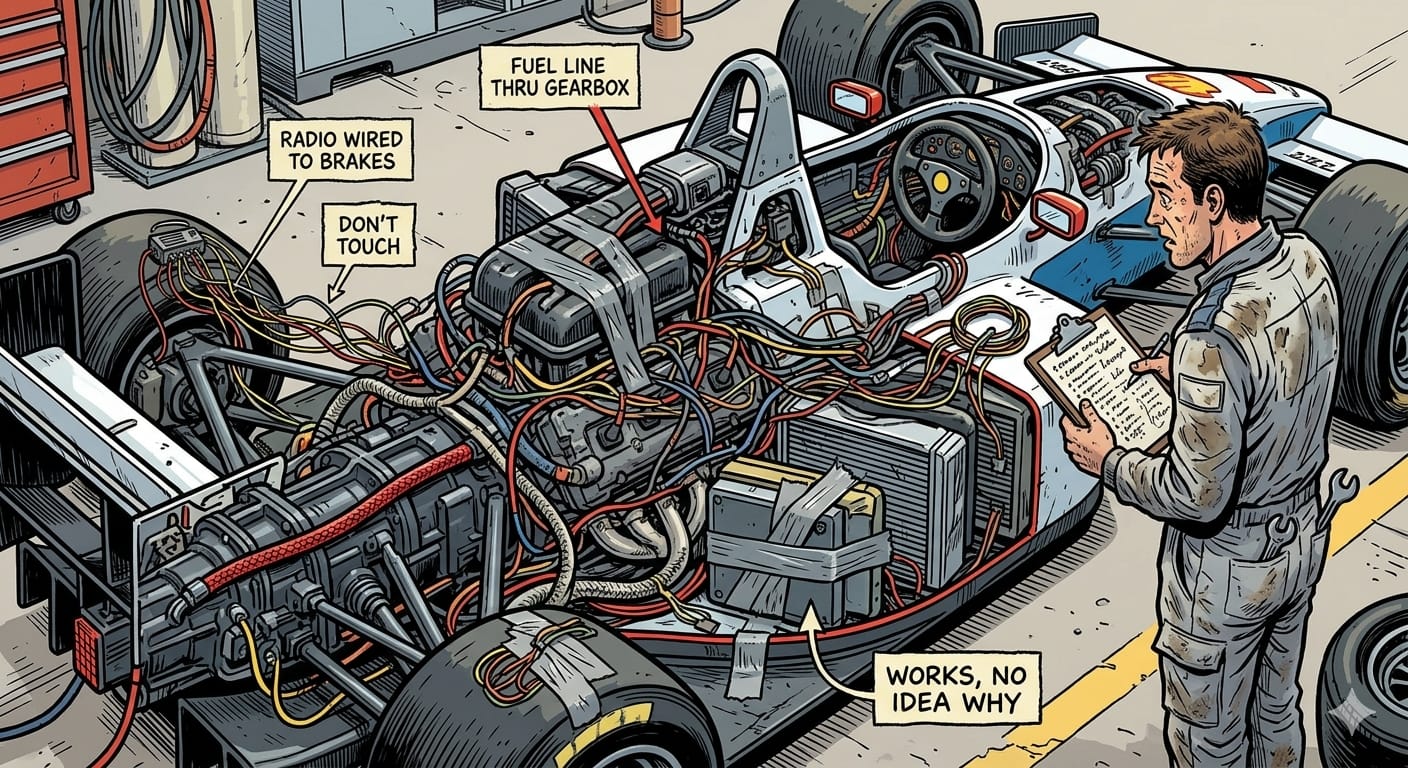
Engineers call this coupling, and its effect is simple: when everything depends on everything, you can't change one thing without touching others. Changes that ripple into unexpected places aren't bad luck. They are the direct consequence of that structure.
A second, more recent effect makes it worse. A language model works within a context window, a finite amount of text it can keep in mind at once. While the project is small, all of it fits, and the AI sees the whole picture. When it grows, it no longer fits. From then on, every change is made looking at the piece you show it and guessing the rest. It's like working on an engine with a torch in a dark garage: whatever is in the beam gets fixed beautifully, and whatever isn't gets kicked over. And when the piece in the beam is coupled to others it can't see, it breaks them. Not out of incompetence, but out of structural blindness.
Together, these two effects explain the whole curve. Early on the project is small and coupling doesn't hurt. Then it grows, coupling bites, the context isn't enough, and every prompt has to do more work with less visibility. Prompts go up, results go down, and you think you've gotten worse. You haven't. The code has become fragile, exactly like code written by a human team without shared rules, except the AI gets there in two weeks instead of two years.
The symptoms
You don't need to read code to notice. Just watch how you work.
- The prompt count goes up. If you keep track, and you should, the same amount of work needs more prompts than a month ago. It's the most reliable signal you have.
- Rewrites instead of edits. You ask to change one line and get back a whole file. The AI can't isolate the change because everything is tangled.
- Regressions. Something that worked yesterday doesn't today, and you didn't touch it.
- Forbidden zones. Files or screens you avoid because "they work, don't touch them". You've already lost control of those parts. The software equivalent of a "do not touch" sticker on the dashboard.
- You can't explain how it works. If you had to tell a colleague where a rule lives or where a piece of data comes from, you couldn't. It doesn't matter, until the day it breaks for real.
A concrete example: the same calculator, built two ways
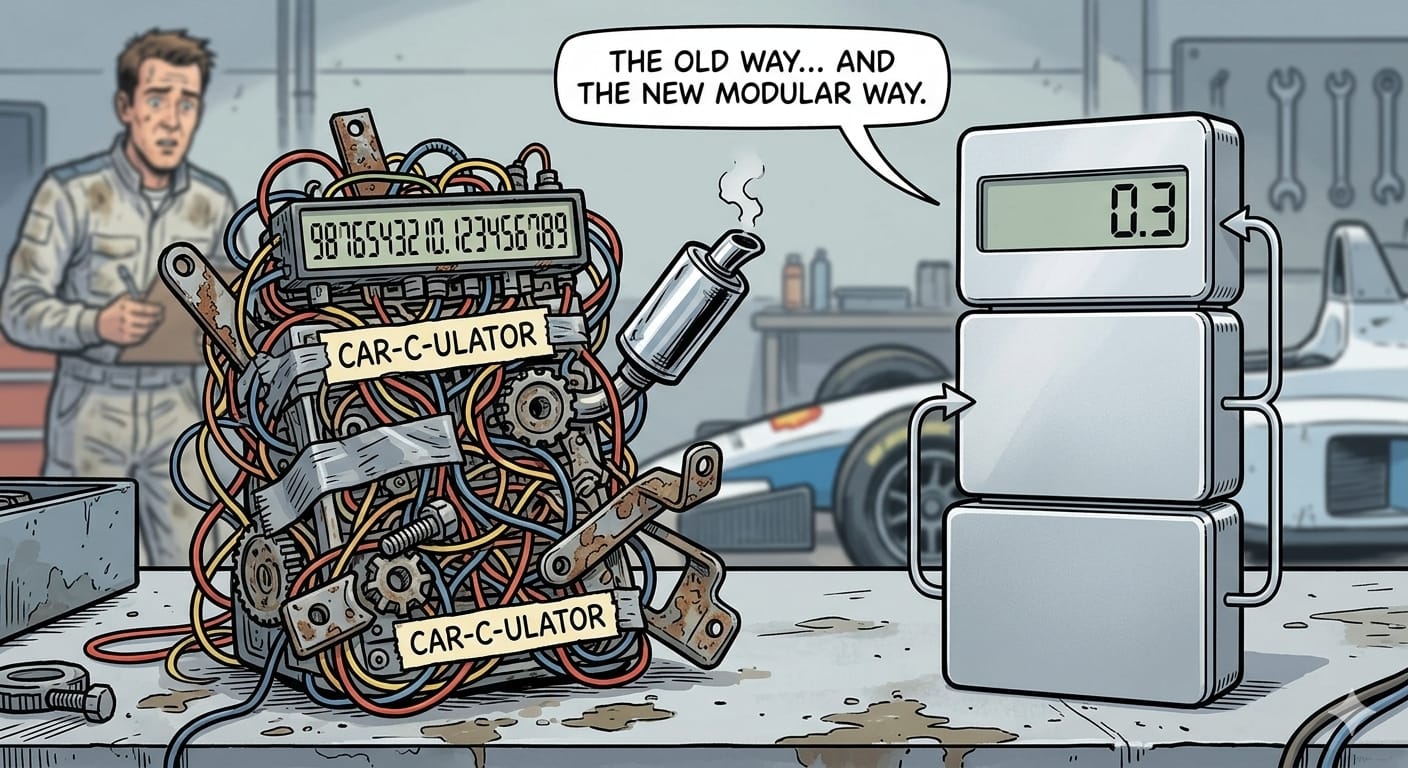
Let's ask the AI for something simple: "build me a calculator in SwiftUI". What you get often looks something like this.
import SwiftUI

struct ContentView: View {
    @State private var display = "0"
    @State private var firstNumber = 0.0
    @State private var operation = ""

    let buttons = [["7","8","9","/"], ["4","5","6","*"],
                   ["1","2","3","-"], ["0",".","=","+"]]

    var body: some View {
        VStack {
            Text(display).font(.largeTitle)
            ForEach(buttons, id: \.self) { row in
                HStack {
                    ForEach(row, id: \.self) { button in
                        Button(button) {
                            if Int(button) != nil || button == "." {
                                display = display == "0" ? button : display + button
                            } else if button == "=" {
                                let second = Double(display) ?? 0
                                if operation == "+" { display = String(firstNumber + second) }
                                if operation == "-" { display = String(firstNumber - second) }
                                if operation == "*" { display = String(firstNumber * second) }
                                if operation == "/" { display = String(firstNumber / second) }
                            } else {
                                firstNumber = Double(display) ?? 0
                                operation = button
                                display = "0"
                            }
                        }
                    }
                }
            }
        }
    }
}
It works. Press 2 + 3 = and you get a result. Until you actually use it:
- 2 + 3 shows
5.0, not 5. - 0.1 + 0.2 shows
0.30000000000000004. Not an AI bug: it's how computers represent decimal numbers, and a real calculator has to handle it. - 5 ÷ 0 shows
inf. - You can type 1..2, and when you press an operator it silently becomes 0. No error, the number just disappears.
- 2 + 3 + 4 = shows
7.0, not 9: the 2 got lost along the way.
A calculator that can't add 0.1 and 0.2 is a race car that can't turn left. Very impressive on the straight.
But the real problem isn't any of these. It's that every rule of the calculator lives inside the buttons. To fix any of these bugs you touch the screen. To add a percentage key, same. And there's no way to automatically check that one fix doesn't break another, because the logic exists nowhere except inside the drawing of the screen.
The same calculator, with an architecture
In Formula 1, the engine, the chassis and the electronics are designed by different teams that agree on exactly where one ends and the next begins. That's what lets them swap an engine between races without rebuilding the car. MVVM is the same idea, on a slightly smaller budget.
It's the most common architecture in SwiftUI, and it splits the app into three parts, each with a single job.
The Model is the actual calculator: the rules. It knows nothing about screens, colors or buttons. It does math.
import Foundation

enum MathOperation { case add, subtract, multiply, divide }

struct Calculator {
    private(set) var display = "0"
    private var storedValue: Decimal?
    private var pendingOperation: MathOperation?
    private var startNewNumber = true

    mutating func inputDigit(_ digit: Int) {
        display = (startNewNumber || display == "0") ? String(digit) : display + String(digit)
        startNewNumber = false
    }

    mutating func inputDecimalPoint() {
        if startNewNumber { display = "0."; startNewNumber = false; return }
        if !display.contains(".") { display += "." }
    }

    mutating func setOperation(_ operation: MathOperation) {
        if pendingOperation != nil && !startNewNumber { equals() }
        storedValue = Decimal(string: display)
        pendingOperation = operation
        startNewNumber = true
    }

    mutating func equals() {
        guard let first = storedValue, let operation = pendingOperation,
              let second = Decimal(string: display) else { return }
        switch operation {
        case .add:      display = format(first + second)
        case .subtract: display = format(first - second)
        case .multiply: display = format(first * second)
        case .divide:   display = second == 0 ? "Error" : format(first / second)
        }
        storedValue = nil
        pendingOperation = nil
        startNewNumber = true
    }

    mutating func clear() { self = Calculator() }

    private func format(_ value: Decimal) -> String {
        NSDecimalNumber(decimal: value).stringValue
    }
}
The ViewModel is the translator: it receives taps from the screen and turns them into instructions for the calculator.
import Observation

enum Key: Hashable {
    case digit(Int), decimal, operation(MathOperation), equals, clear

    var label: String {
        switch self {
        case .digit(let d):           return String(d)
        case .decimal:                return "."
        case .operation(.add):        return "+"
        case .operation(.subtract):   return "-"
        case .operation(.multiply):   return "×"
        case .operation(.divide):     return "÷"
        case .equals:                 return "="
        case .clear:                  return "C"
        }
    }
}

@Observable
final class CalculatorViewModel {
    private var calculator = Calculator()

    var display: String { calculator.display }

    func tapped(_ key: Key) {
        switch key {
        case .digit(let d):       calculator.inputDigit(d)
        case .decimal:            calculator.inputDecimalPoint()
        case .operation(let op):  calculator.setOperation(op)
        case .equals:             calculator.equals()
        case .clear:              calculator.clear()
        }
    }
}
The View shows things and passes taps along. Nothing else.
import SwiftUI

struct CalculatorView: View {
    @State private var viewModel = CalculatorViewModel()

    private let rows: [[Key]] = [
        [.digit(7), .digit(8), .digit(9), .operation(.divide)],
        [.digit(4), .digit(5), .digit(6), .operation(.multiply)],
        [.digit(1), .digit(2), .digit(3), .operation(.subtract)],
        [.clear,    .digit(0), .decimal,  .operation(.add)],
        [.equals]
    ]

    var body: some View {
        VStack(spacing: 12) {
            Text(viewModel.display)
                .font(.system(size: 48, weight: .light))
                .frame(maxWidth: .infinity, alignment: .trailing)
            ForEach(rows, id: \.self) { row in
                HStack(spacing: 12) {
                    ForEach(row, id: \.self) { key in
                        Button(key.label) { viewModel.tapped(key) }
                            .frame(maxWidth: .infinity, minHeight: 56)
                    }
                }
            }
        }
        .padding()
    }
}
Is it more code? A little. So is a car with a proper chassis instead of zip ties. But look at what changed:
- 2 + 3 is 5, and 0.1 + 0.2 is 0.3, because we use
Decimalinstead ofDouble, the type designed for decimal arithmetic. - 5 ÷ 0 says "Error", explicitly.
- A second decimal point is ignored.
- 2 + 3 + 4 = is 9.
Above all, the rules live in one place. To add a percentage key you touch the Model and add a row of keys. To redesign the screen you touch only the View, and you can't break the math even if you try.
The most important part: now it can be verified
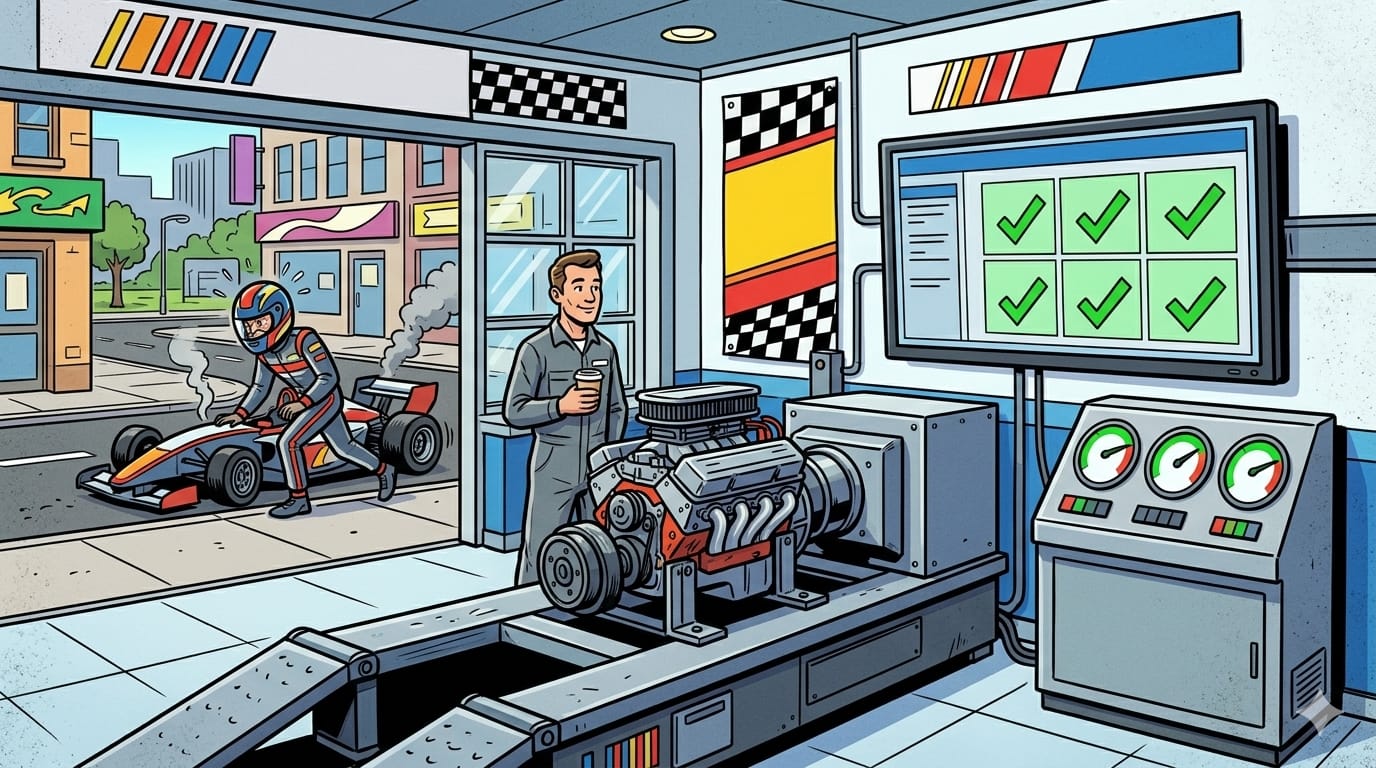
Because the calculator no longer depends on the screen, we can write tests that check it on their own, in a second, every time something changes. Tests are the dyno of software: you put the engine on the bench and measure it, instead of driving around the block every time you change a bolt.
import Testing
@testable import YourApp   // replace with your project name

struct CalculatorTests {
    @Test func decimalSumIsExact() {
        var calc = Calculator()
        calc.inputDigit(0); calc.inputDecimalPoint(); calc.inputDigit(1)
        calc.setOperation(.add)
        calc.inputDigit(0); calc.inputDecimalPoint(); calc.inputDigit(2)
        calc.equals()
        #expect(calc.display == "0.3")
    }

    @Test func divisionByZeroShowsError() {
        var calc = Calculator()
        calc.inputDigit(5); calc.setOperation(.divide); calc.inputDigit(0)
        calc.equals()
        #expect(calc.display == "Error")
    }

    @Test func secondDecimalPointIsIgnored() {
        var calc = Calculator()
        calc.inputDigit(1); calc.inputDecimalPoint(); calc.inputDecimalPoint(); calc.inputDigit(5)
        #expect(calc.display == "1.5")
    }

    @Test func chainedOperationsKeepTheResult() {
        var calc = Calculator()
        calc.inputDigit(2); calc.setOperation(.add)
        calc.inputDigit(3); calc.setOperation(.add)
        calc.inputDigit(4); calc.equals()
        #expect(calc.display == "9")
    }
}
In the first version these tests can't even be written: there's nothing to test except the screen. That is the real difference between the two calculators, and it's the same difference between an app that can grow and one that, at some point, stops letting you touch it.
What to do, from day one
The cure doesn't require knowing how to code. It requires understanding that the "how" exists, and imposing it on the AI before it chooses for you.
Write the rules before the code. One page, no more, describing how the project must be built. What the parts are and what may talk to what: the interface shows, the logic decides, data is read and written in one place, and the interface never talks directly to the network or the database. Where configuration and secrets live. How errors are handled. Which libraries are allowed. You don't need to know the names engineers give these things. Write them in plain language and give them to the AI at the start of every session, every time, because it won't remember them. That document is the structural memory the model doesn't have. Nobody builds a race car by bolting on parts and seeing what happens. There's a drawing first. The drawing is cheap. The car without one is not.
Have the tests written before the implementation. This is the single change worth the most. Before asking for a feature, ask for the tests that describe how it should behave. Tests read almost like sentences, and reading them tells you whether the AI understood what you want before it writes a line of implementation. They become the spec, and every future change has a safety net.
Ask for small changes, and read every one. You don't need to understand all the code. Ask one question about each change: does this belong where my rules say it should? If business logic lands inside a button, if a network call shows up in the interface, if the same data gets duplicated, reject it and ask again.
Measure your prompts. In our work we track one number: how many prompts it takes to get code that works and respects the structure. Not one or the other, both. When the rules are well written and tests come first, that number is almost always one.
For the calculator, the whole thing fits in one request:
"Build a calculator in SwiftUI with three separate parts: a Model containing all the calculation rules, which does not import SwiftUI; a ViewModel that turns taps into calls to the Model; a View that only displays, with no calculation inside. Use Decimal for numbers. Before writing the code, write tests for: decimal sums, division by zero, a double decimal point, chained operations."
Before you call it done
The calculator contains every check that applies to any feature:
- Do the tests pass? And do they test the rules, not the screen?
- Did you try the strange cases? Decimals, zero, bad input, operations in sequence. That's where problems hide.
- Are errors visible? An error shown to the user is a handled problem. An error that silently disappears, like 1..2 turning into 0, is a postponed one.
- Does the screen contain logic? If there's a calculation inside a button, it's in the wrong place.
- Can you explain where every rule lives? If yes, the feature is yours. If not, it belongs to the AI.
Three things to check today
While you're at it, here are three problems that don't show on screen and that we find in almost every AI-generated codebase.
Search the project for words like apiKey, secret, token, password. If the values are written in plain text inside the app, anyone can extract them in ten minutes and use your services on your bill. Keys live on the server, never in the app.
Look for blocks that catch an error and do nothing. The AI writes them to make a crash go away: the problem disappears from view, not from the system. Every error has to end up somewhere someone will see it.
Check how data is stored. If there's no version number and no way to convert old data when the structure changes, the first serious update will wipe what your users saved.
To wrap up
You can build on your own, and it will work. You can also build well on your own, if you set the rules first and measure instead of hoping. The difference between those who stall in week three and those who don't isn't prompting talent. It's understanding that the AI answers the question you ask, and that "make it work" and "make it right" are two different questions.
And if you've already hit the wall, and the project is at the point where every change is scary, it can be untangled. Not by rewriting everything, but by introducing the rules after the fact, one piece at a time, until the code is yours again. It's work we do often, and it usually takes less time than people inside the problem expect. If your project is already there, get in touch at eterestudio.co: we'll tell you honestly whether it needs untangling or just a few rules.
As for the app that takes three minutes to start: it isn't loading. It's telling you something. The car in the garage still takes three minutes, by the way. But at least now we know why.