
Mobile Development in 2026: 5 Industry Shifts That Will Define Your Tech Stack
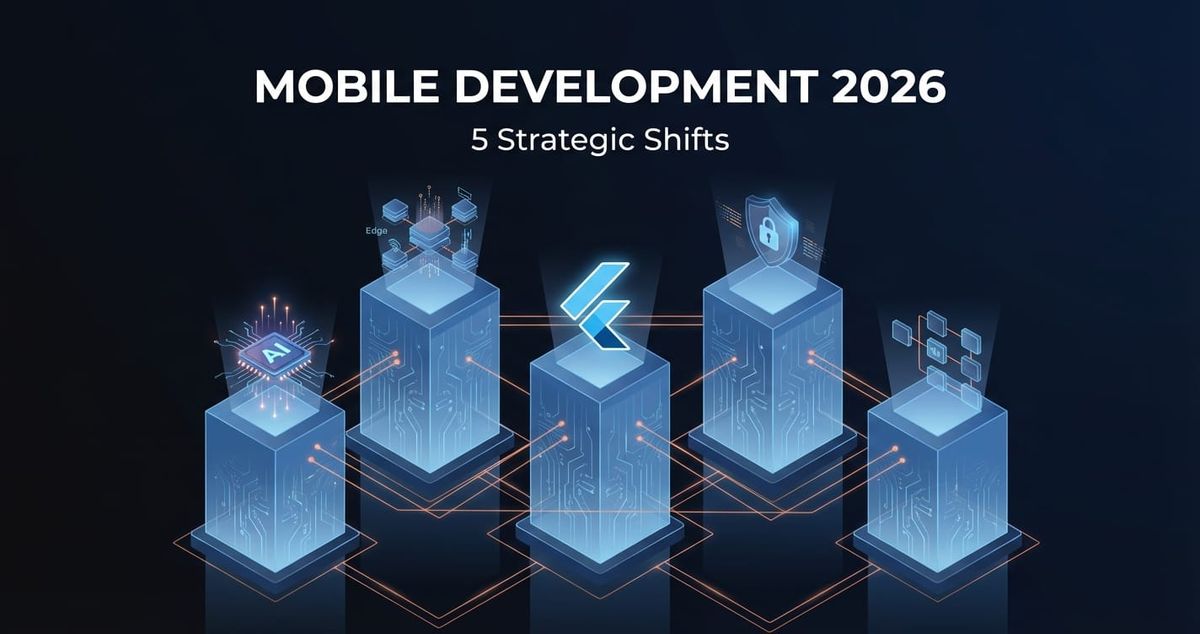
Mobile development in 2026 isn't about chasing novelty. It's about five fundamental shifts that changed how we build, where code runs, and what users expect. If you're planning your tech stack this year, these trends determine whether you're building for today or two years ago.
We've worked with twelve teams in the past eighteen months navigating these exact decisions. Some got it right. Others are now facing expensive rewrites. Here's what actually matters.
AI-First Development: Beyond Chatbots
AI integration in mobile apps stopped being optional in late 2025. But most teams are still treating it like a feature add-on rather than a foundational shift.
On-device ML processing is now standard for any app handling sensitive data. We recently built a fitness app where pose detection runs entirely on-device—no server calls, no latency, no privacy concerns. Apple's Core ML and Google's ML Kit made this accessible, but the architecture change is significant. You're now thinking about model size (under 50MB for reasonable load times), inference speed (under 100ms for real-time features), and battery impact from the start.
LLM integration follows a similar pattern. The naive approach—sending every user input to GPT-4—costs $500-2000/month for a modest user base and creates terrible UX. The practical approach: edge-deployed smaller models (Llama 3.2, Mistral 7B) for common tasks, cloud LLMs for complex reasoning, aggressive caching. One client reduced API costs by 73% and improved response times by moving 80% of queries to on-device processing.
Smart features that actually work focus on reducing friction, not adding complexity. Automatic form filling using document scanning. Predictive text that understands domain context. Search that handles typos and synonyms without the user thinking about it. These solve real problems. AI-generated motivational quotes in your wellness app probably don't.
At Etere Studio, we've found that teams overestimate the difficulty of AI integration and underestimate the architecture planning required. The code is straightforward. Deciding what runs where, managing model versions, and handling degraded states when models fail—that's the hard part.
Cross-Platform Frameworks: The Flutter Inflection Point
The cross-platform debate shifted decisively in 2025. Flutter's market share among new projects hit 42% by Q4 2025, while React Native dropped to 31%. This isn't hype—it's teams making calculated decisions based on three factors.
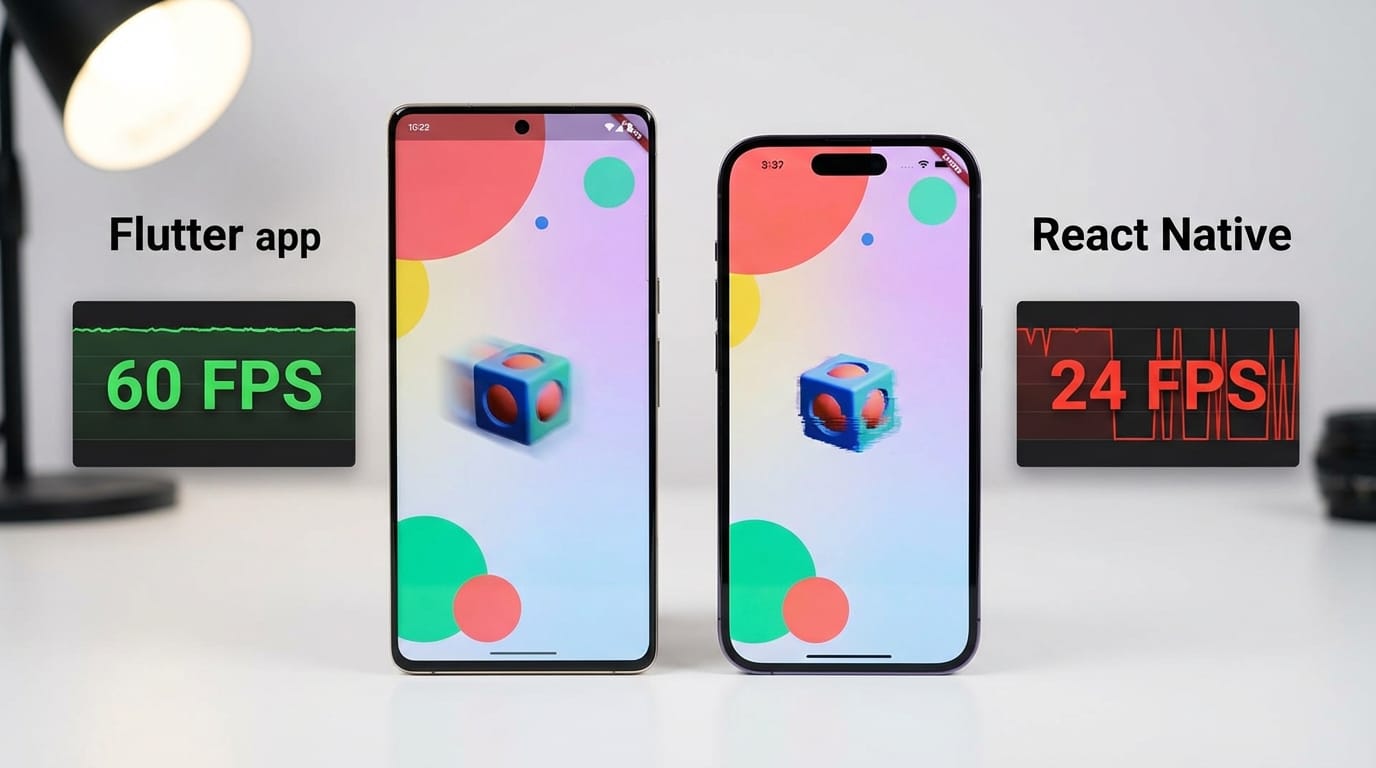
Performance gap closed. Flutter's Impeller rendering engine eliminated jank on iOS. React Native's new architecture (finally stable in early 2025) improved Android performance but didn't match Flutter's consistency. When we benchmark identical apps, Flutter consistently delivers 60fps on mid-range devices where React Native drops to 45-50fps under load.
Development velocity matters more than most teams admit. Flutter's widget system and hot reload let us ship features 20-30% faster than equivalent React Native work. The difference compounds over months. A six-month React Native project becomes four months in Flutter. That's real money and competitive advantage.
The ecosystem matured differently. React Native still has more third-party packages (npm inheritance), but quality matters more than quantity. Flutter's core packages are better maintained, platform-specific code is cleaner, and breaking changes are rarer. We've spent more time debugging obscure React Native package conflicts in 2025 than dealing with Flutter's occasional API updates.
React Native isn't dying—it's stabilizing as the choice for teams already invested in React web or with massive JavaScript codebases. For new projects starting in 2026, especially those prioritizing performance and design control, Flutter is the default recommendation.
One caveat: team composition matters. If you have five senior React developers and no Flutter experience, don't rebuild everything. Extend your current stack. But if you're hiring or starting fresh, Flutter's learning curve (2-3 weeks for competent mobile devs) pays back quickly.
Edge Computing and Privacy-First Architecture
Edge computing in mobile stopped being about CDN optimization and became about where computation happens. The shift: processing data as close to the user as possible, both for performance and privacy.
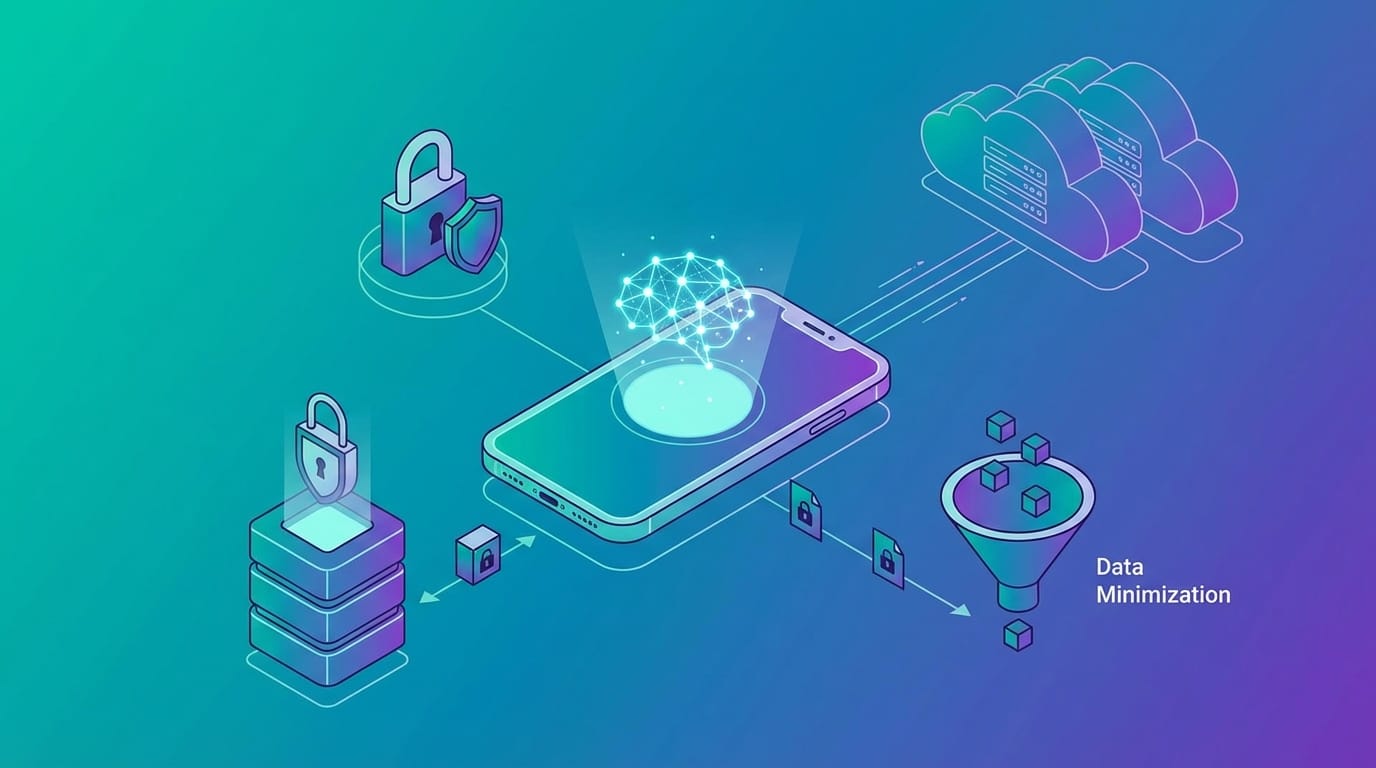
Practically, this means rethinking the client-server split. A typical 2023 app might send user photos to a server for processing, store them in S3, run analysis in Lambda, return results. A 2026 app processes photos on-device, only sends derived features (not raw images) to the backend, and stores encrypted versions client-side with cloud backup optional.
We rebuilt a healthcare app in late 2025 using this pattern. Patient photos never leave the device. ML analysis runs locally. Only anonymized metrics sync to the server. Compliance became trivial. Performance improved (no upload wait). Users trust it more. The tradeoff: initial development took 15% longer to handle offline-first state management and local storage. Worth it.
Privacy-first architecture isn't just GDPR compliance. It's a competitive advantage. Users increasingly choose apps that demonstrate data minimization. "We don't store your photos" beats "we encrypt your photos" in user perception.
Technical implications: invest in robust local storage (SQLite, Hive, Isar), learn operational transforms or CRDTs for sync, design for intermittent connectivity from day one. The mental model shift is significant—you're building distributed systems, not client-server apps.
No-Code vs Custom: A Decision Framework
No-code platforms got legitimately good in 2025. FlutterFlow, Adalo, Bubble—they're not toys anymore. We've seen functional MVPs built in days that would've taken weeks custom. But the decision framework matters.
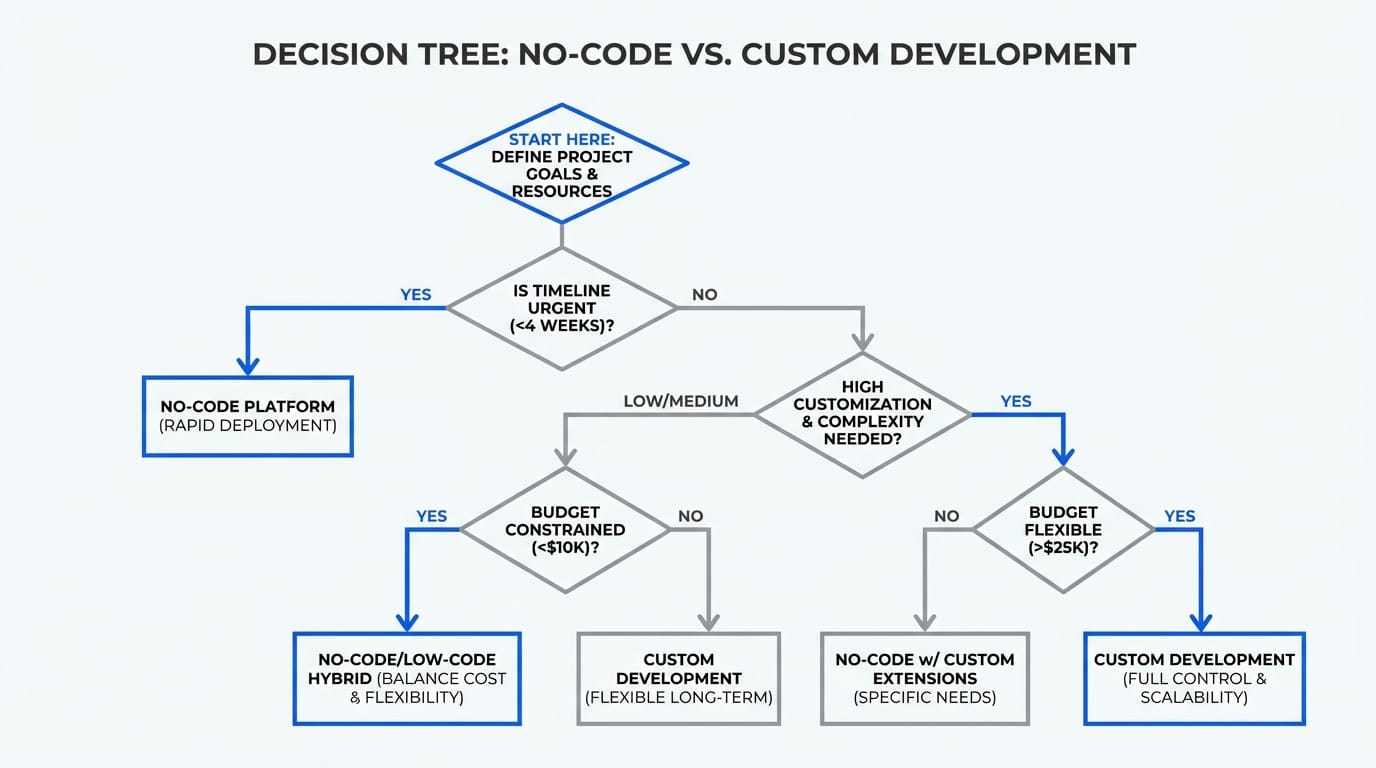
Choose no-code when: you're validating demand before building, the app maps cleanly to standard patterns (directory, booking, content feed), you're okay with 80% customization not 100%, and your timeline is under 8 weeks. Cost threshold: if custom development exceeds $30k, seriously evaluate no-code first.
Choose custom when: you need specific performance optimization, the UX requires novel interactions, you're integrating complex business logic, or you're building for multi-year evolution. No-code platforms excel at the first 80% but hit walls on the last 20%.
Hybrid approach works: we built an MVP in FlutterFlow for a client, validated their core hypothesis, then rebuilt custom once they had traction. Total time to market: 3 weeks for validation, 10 weeks for production app. Without the no-code phase, they would've spent 16 weeks building the wrong thing.
The mistake we see: teams choosing no-code to save money, then spending equal or more money fighting platform limitations. Or teams building custom because "we might need flexibility" when they're 6 months from product-market fit.
Decision heuristic: if you can clearly describe your app in 5 bullet points and it sounds like existing apps, try no-code. If the description includes "but specifically" or "unlike other apps" more than twice, go custom.
Real-World Application: 2025-2026 Projects
These trends aren't theoretical. Here's how they played out in actual projects.
Project A (Fintech, Flutter): Built a budgeting app with on-device ML categorization of transactions. Local processing eliminated the "sync delay" problem of competitor apps. Categorization accuracy: 91% (vs 87% for server-based competitors). Development time: 14 weeks. Cost saving vs React Native estimate: $18k due to faster iteration.
Project B (Healthcare, React Native to Flutter migration): Migrated an existing telemedicine app hitting performance issues. Flutter rewrite improved video call stability on Android by 34% and reduced crash rate from 2.1% to 0.3%. Migration took 9 weeks with parallel maintenance. Users noticed—app store rating jumped from 4.1 to 4.6.
Project C (Retail, edge-first architecture): Built a product scanning app that works in stores with poor connectivity. On-device barcode recognition, local product database (updated weekly), offline cart, background sync. Cart abandonment dropped 23% compared to their previous web-based solution. Edge computing wasn't optional—it was the core value prop.
Project D (SaaS, no-code validation): Used FlutterFlow for a B2B marketplace MVP. Got to 50 paying customers in 6 weeks, validated pricing, then rebuilt custom. No-code phase cost $8k (our time + platform). Custom build: $42k. Without validation, they would've built wrong features. The no-code version proved demand for features we wouldn't have prioritized.
Project E (Social, AI integration): Added AI-powered content suggestions to an existing community app. Initial implementation used OpenAI API directly—worked but cost $1200/month. Migrated to cached embeddings + Pinecone + on-device ranking. Cost: $140/month at same scale. Performance improved (local ranking is instant). The architecture change took 2 weeks but paid back in 3 months.
Common pattern: teams that treated these trends as architectural decisions from day one shipped faster and cheaper than teams that bolted them on later.
Your Tech Stack Decision Framework
Here's how to apply these trends to your 2026 project.
Start with constraints, not preferences. What's your timeline? Budget? Team expertise? Compliance requirements? These eliminate options fast. If you have three React devs and 8 weeks, don't start learning Flutter. If you're handling health data, edge-first isn't optional.
Map features to processing location. For each feature, decide: must it run on-device, can it run on-device, should it run in cloud? Biometric unlock: must be on-device. Complex analytics: cloud. Photo filters: can be on-device (better UX). This exercise reveals your architecture.
Calculate total cost, not just development cost. A Flutter app might cost $10k more upfront but save $2k/month in reduced backend API calls and support tickets from better performance. Over two years, it's $38k cheaper. Factor in maintenance, infrastructure, and technical debt.
Test assumptions early. Don't assume users want AI features. Build a stripped prototype (even no-code), test with 10 target users, validate the core interaction. We've killed three "obviously good" AI features in 2025 after users found them confusing.
Plan for evolution. Your MVP doesn't need perfect architecture. But it shouldn't preclude future requirements. If you might need offline support later, choose a state management pattern that supports it now. If AI integration is on the 6-month roadmap, structure your data layer to support it.
The actual decision: Will this tech stack let us build the right product fast enough to matter, then evolve it as we learn?
Everything else is detail.
What This Means for Your 2026 Roadmap
Mobile development trends in 2026 aren't about picking the newest framework or adding AI because everyone else is. They're about matching technology choices to real business constraints and user needs.
Flutter's momentum is real if performance and design control matter. AI integration works when you're solving friction, not adding features. Edge computing is essential for privacy-sensitive domains and emerging market connectivity. No-code is valid for validation, dangerous as a permanent solution for complex products.
The teams shipping great mobile products this year aren't the ones following trends. They're the ones asking "what does my user need" and "what can my team execute" before choosing technology.
Planning your tech stack and want a second opinion on your approach? We're happy to review your requirements and share what we're seeing work in 2026. Book a tech consultation—no sales pitch, just honest feedback from people building mobile apps every day.