
Flutter 3.38 & Dart 3.10: What's New and Why It Matters for Your Next Project
Flutter 3.38 and Dart 3.10 dropped on November 12, 2025, and this release actually matters. Not because of flashy new widgets, but because it addresses real friction points: web development finally gets proper hot reload, Android's 16KB page requirement is handled out of the box, and Dart's new syntax features will genuinely reduce boilerplate in your codebase.
If you're evaluating Flutter for a new project or maintaining existing apps, here's what you need to know—and what you should actually do about it.
Hot Reload on Web: No More Experimental Flags
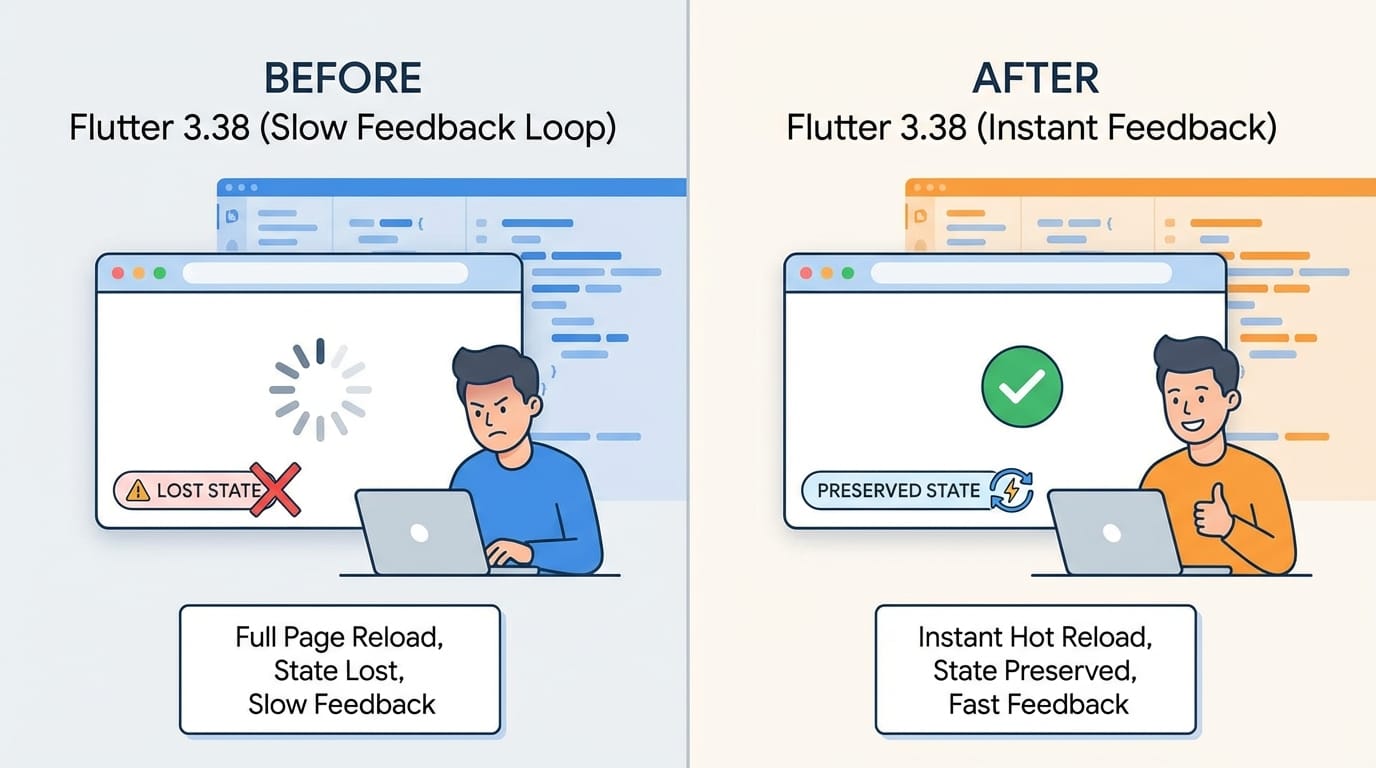
Hot reload for Flutter web is now enabled by default. No experimental flags, no configuration hoops. Just flutter run -d chrome and your changes appear in under a second.
This might sound incremental, but it's a bigger deal than it appears. Web development in Flutter has always felt like a second-class citizen compared to mobile. The feedback loop was slower, and developers often found themselves doing full refreshes that wiped application state. That's over now.
At Etere Studio, we've been testing this on a client project that runs on both mobile and web. The web development experience is now nearly identical to mobile—which is exactly what cross-platform should mean.
The practical impact: if you previously avoided Flutter for web-heavy projects because of the dev experience, it's worth reconsidering. The gap between Flutter web and native web frameworks (in terms of developer ergonomics) has shrunk considerably.
Android 16KB Page Size: Already Handled
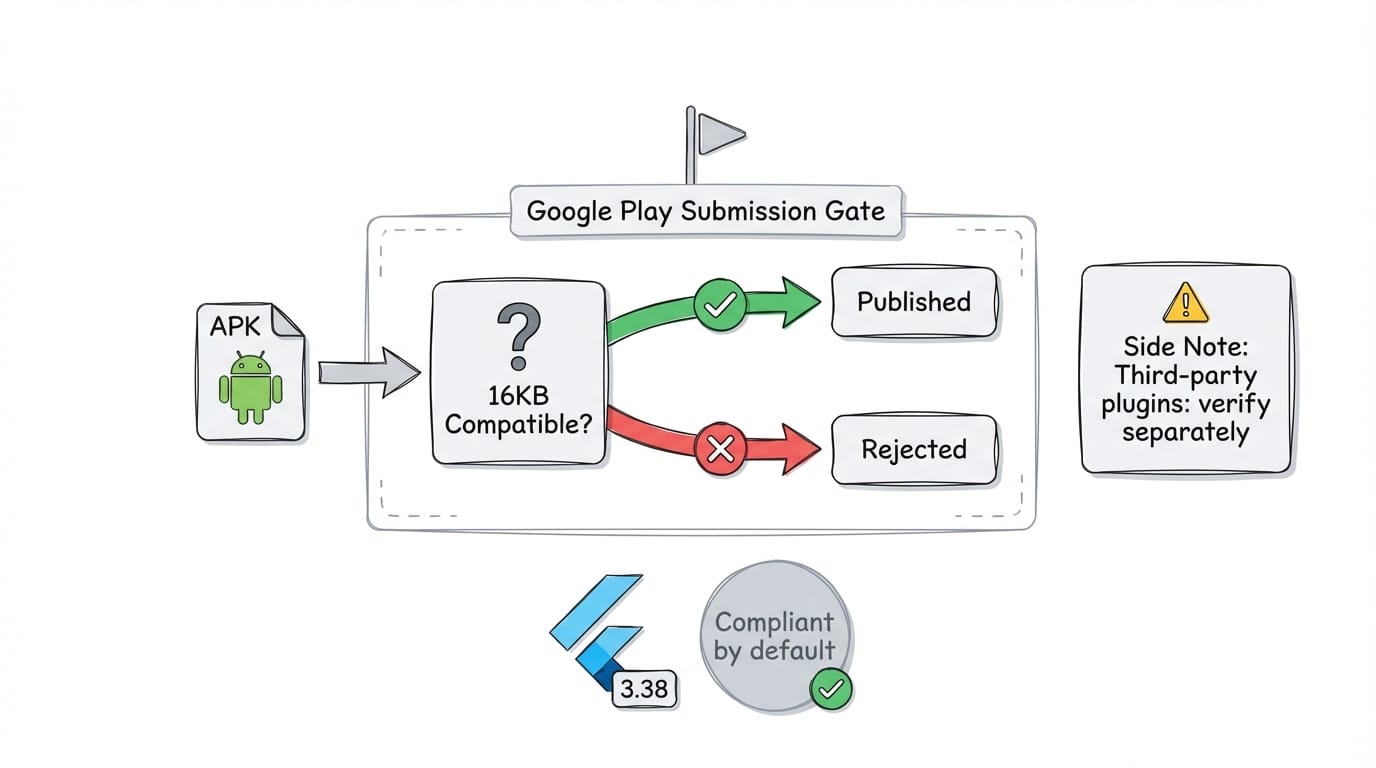
Here's one you might have missed if you haven't tried submitting to Google Play recently. Since November 1, 2025, all new apps and updates targeting Android 15+ must support 16KB memory page sizes. This is a Google Play requirement, not optional.
The good news: Flutter 3.38 supports this out of the box. If you upgrade to 3.38, you're compliant. No additional configuration needed for the Flutter engine itself.
The catch: if your app uses native plugins or custom NDK code, you'll need to verify those are also 16KB-compatible. The Flutter team has updated their tooling, but third-party packages might lag behind. Before your next Play Store submission, run Google's APK analyzer to check for 16KB compatibility issues.
For teams on older Flutter versions, this is a forcing function to upgrade. You can't just ignore it—Google Play will reject non-compliant builds.
Dart 3.10: Dot Shorthand Syntax
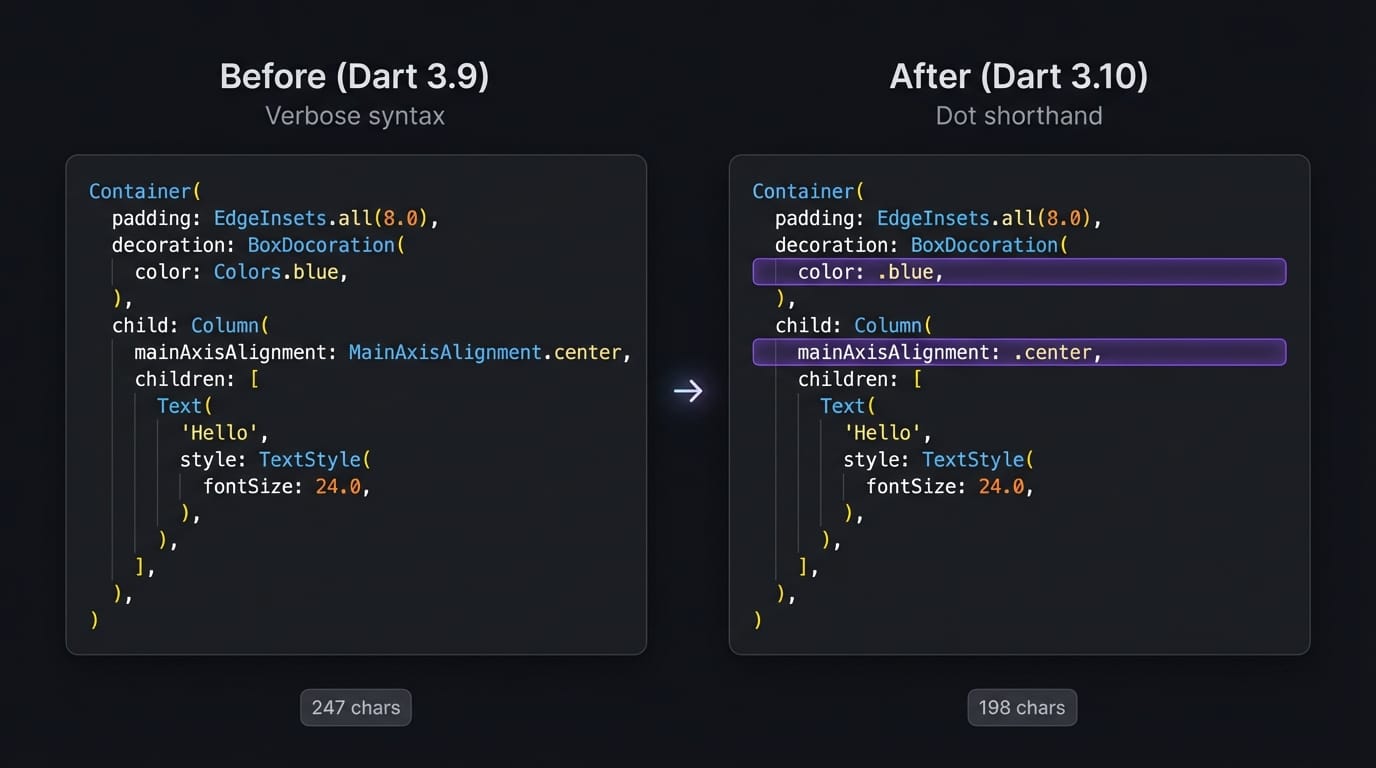
Dart 3.10's headline feature is dot shorthand syntax, and it's now enabled by default. Instead of writing:
Container(
  alignment: Alignment.center,
  color: Colors.blue,
)
You can now write:
Container(
  alignment: .center,
  color: .blue,
)
The compiler infers the type from context. This works with enums, static constants, and constructors.
Is this revolutionary? No. Is it nice? Absolutely. Flutter code is notoriously verbose, and every character you don't have to type (or read) adds up. We've found it particularly helpful in widget trees where you're setting multiple alignment, axis, or color properties.
One caveat: if you're working on a team, make sure everyone upgrades their IDE and analyzer together. Mixed versions can cause false-positive errors that slow down code review.
Build Hooks Are Now Stable
Build hooks graduated from experimental to stable in this release. This matters if you're working with native code, FFI, or need to bundle native assets with your Dart packages.
Previously, integrating native code into Flutter packages was awkward. You'd often need custom build scripts, platform-specific configurations, and a lot of documentation for consumers of your package. Build hooks standardize this.
For most app developers, this is invisible—it just means packages that depend on native code will be easier to install and more reliable. For package authors, it's a significant improvement in how you can distribute native dependencies.
Web Configuration Files
Flutter 3.38 introduces a configuration file for web settings with flutter run. You can now specify renderer, web port, and other options in a file rather than passing them as command-line arguments every time.
Small quality-of-life improvement, but if you've ever had to remember --web-renderer canvaskit --web-port 8080 every time you start a dev session, you'll appreciate it.
What This Means for Existing Projects
If you're maintaining a Flutter app, here's the upgrade checklist:
- Check your Android target SDK. If you're targeting Android 15 (API 35) or higher, you need Flutter 3.38 for 16KB page compliance. This is non-negotiable for Play Store submissions.
- Test your plugins. Run your app and check for any plugin-related crashes or warnings. Most popular packages have already updated, but niche ones might need attention.
- Update your CI/CD. Make sure your build servers are running Flutter 3.38. The dot shorthand syntax will cause analyzer errors on older versions.
- Review your web builds. If you have web deployments, test thoroughly. Hot reload improvements shouldn't affect production builds, but it's worth verifying.
The upgrade path from 3.35 (the August 2025 release) is smooth. We've upgraded three projects in the past month without major issues. If you're coming from something older, budget more time for dependency resolution.
For New Projects: Why This Release Matters
If you're evaluating Flutter for a new project in late 2025, this release strengthens the case:
- Web is now a first-class target. Hot reload parity with mobile removes a major friction point.
- Android compliance is built-in. You won't hit surprise Play Store rejections.
- Dart keeps improving. The language is getting more concise without sacrificing clarity.
Flutter's value proposition has always been "one codebase, multiple platforms." With 3.38, the asterisks and caveats around that promise are getting smaller.
At Etere Studio, we've been building Flutter apps for startups and businesses for years. This release doesn't change our recommendation—Flutter remains our go-to for cross-platform mobile—but it does make that recommendation easier to defend, especially for projects with significant web requirements.
The Bottom Line
Flutter 3.38 isn't a flashy release. There's no new rendering engine or paradigm shift. But it's a mature release that addresses practical pain points: better web DX, Android compliance, and cleaner syntax.
For existing projects, upgrade before your next Play Store submission. For new projects, there's never been a better time to start with Flutter.
Planning a Flutter project or evaluating whether to upgrade? We're happy to share what we've learned. Get in touch