
Your First AI Automation: A No-Hype Guide for Business Owners
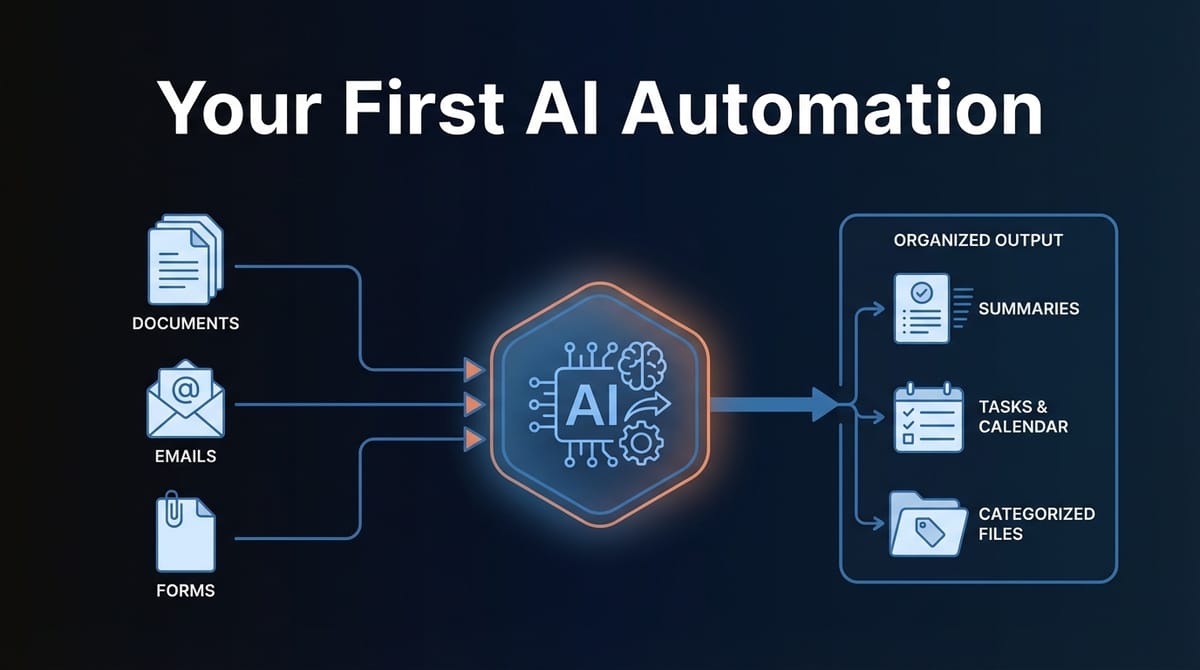
Most AI automation advice is written by people selling AI automation. This guide isn't. We've helped businesses implement their first automations, and we've also told plenty of them to wait. Here's what actually works.
Start With One Boring Process
The best first automation isn't exciting. It's the task someone on your team does every day that makes them sigh. Email sorting. Invoice data entry. Lead categorization. Report generation.
Pick something with these characteristics:
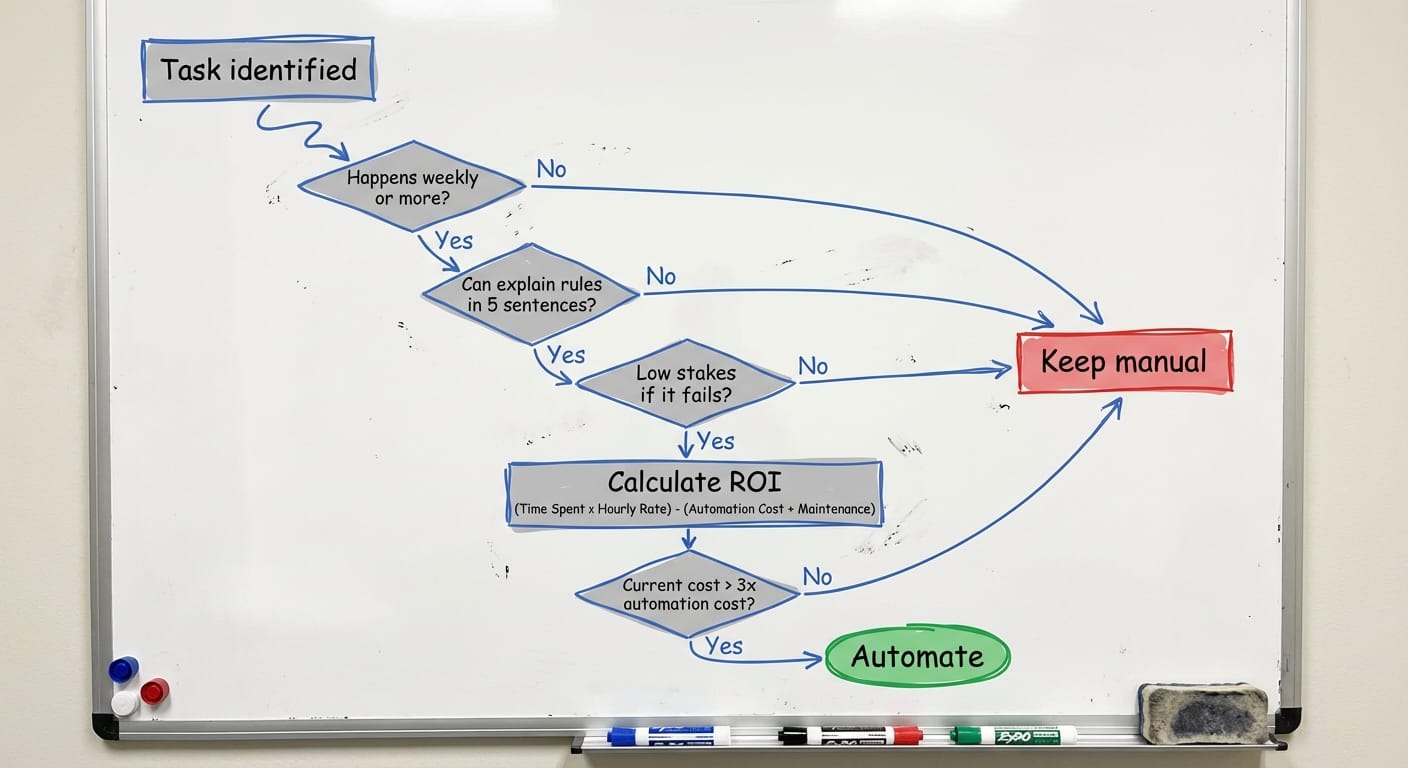
- Repetitive: Happens at least weekly, ideally daily
- Rule-based: You could explain the logic to a new hire in 10 minutes
- Low-stakes: If it breaks, nobody loses money or customers
- Measurable: You know how long it takes now
At Etere Studio, we've seen businesses try to automate complex decision-making first. It rarely works. Start boring, learn the tools, then get ambitious.
Here's a quick test: describe the task to someone who doesn't work at your company. If you can explain when to do X versus Y in under five sentences, it's automatable. If you find yourself saying "well, it depends on context" repeatedly, save it for later.
The "Is This Worth Automating?" Framework
Before building anything, do this math:
Current cost = (hours per week) × (hourly cost) × 52
Automation cost = (build time in hours × rate) + (monthly tools × 12)
If the current cost isn't at least 3x the automation cost, don't bother. Seriously. The maintenance, edge cases, and learning curve will eat your savings.
Real example: A client wanted to automate a 30-minute weekly report. That's 26 hours per year. Even at $50/hour, that's $1,300 annually. Building and maintaining the automation would cost more. We told them to keep doing it manually.
Another client spent 3 hours daily categorizing incoming emails and routing them to the right team. That's 780 hours per year. At $30/hour, that's $23,400. The automation cost $2,000 to build and $150/month to run. Easy decision.
The Tools You Actually Need
You don't need a computer science degree. You need two things:
1. An automation platform — We recommend n8n (self-hosted) or Make.com (cloud). Both are visual, drag-and-drop tools. n8n is more flexible and cheaper long-term. Make.com is easier to start with.
2. An AI model — OpenAI's GPT-4 for most text tasks. Claude for longer documents. You'll pay per use, typically $20-100/month for a first automation.
That's it. Don't buy specialized AI tools until you've outgrown the basics. Most "AI automation platforms" are just wrappers around these same components with a markup.
Total monthly cost for a typical first automation: $50-200. That includes the platform, AI API costs, and maybe a database if you need to store results.
Building Your First Automation: Step by Step
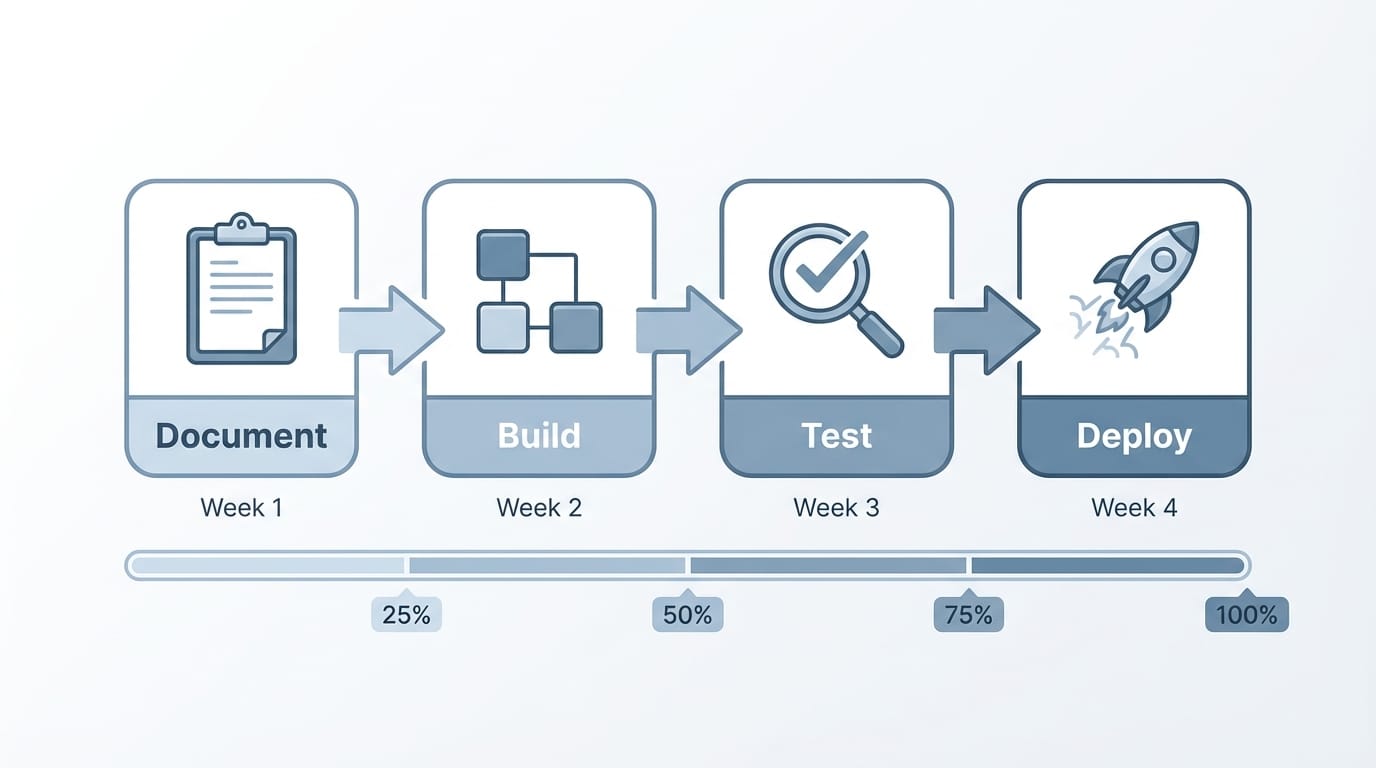
Let's walk through a real example: automatically categorizing incoming support emails and extracting key information.
Week 1: Document the current process
Watch someone do the task. Write down every decision they make. "If the email mentions billing, it goes to finance. If it mentions a bug, it goes to engineering." Get specific. What makes something "urgent"? What information do they pull out?
You'll discover rules you didn't know existed. That's normal.
Week 2: Build the skeleton
In n8n or Make.com, create the basic flow:
- Email arrives (trigger)
- Send email text to GPT-4 with your rules (AI step)
- Parse the response (data handling)
- Take action — tag the email, move it, notify someone (output)
Don't try to handle every edge case. Build for the 80% case first.
Week 3: Test with real data
Run 50-100 real emails through the automation. Compare results to what a human would do. You'll find:
- Cases you didn't anticipate (add rules)
- Ambiguous situations (decide how to handle)
- Completely wrong outputs (usually a prompt problem)
Expect 70-80% accuracy on first attempt. That's normal.
Week 4: Refine and deploy
Fix the obvious errors. Add handling for the edge cases that matter. Set up monitoring so you know when it fails.
Then turn it on. Not for everything — start with 20% of volume. Watch it for a week. Expand gradually.
What AI Actually Can't Do
Let's be honest about limitations:
AI can't reliably handle ambiguity. If your process requires judgment calls that even experienced employees disagree on, AI will struggle. It needs clear rules.
AI hallucinates. It will confidently give wrong answers. For anything important, build in verification steps or human review.
AI doesn't remember context. Each request starts fresh. If your process requires remembering what happened last week, you need to build that memory yourself (usually a database).
AI is slow for real-time needs. A GPT-4 call takes 2-10 seconds. Fine for batch processing, not great for instant responses.
AI costs scale with volume. Processing 100 emails costs 100x processing 1 email. Budget accordingly.
Measuring Results (And When to Stop)
Track three things:
- Time saved: Actual hours freed up, not theoretical
- Accuracy: Percentage of correct outputs vs. human baseline
- Cost: Monthly spend on tools and maintenance
If accuracy drops below 85%, stop and fix it. Below 80%, consider whether automation is right for this task.
If time saved minus costs isn't positive within 3 months, something's wrong. Either the process wasn't worth automating, or the implementation needs work.
And here's the uncomfortable truth: sometimes the answer is to stop. We've helped clients shut down automations that looked good on paper but created more problems than they solved. That's not failure — that's learning.
When to Scale (And When to Wait)
Your first automation is working. Now what?
Scale when:
- Accuracy is consistently above 90%
- You've run it for at least a month without major issues
- The team trusts the output
- You have someone who understands how it works
Wait when:
- You're still fixing edge cases weekly
- Nobody knows how to modify it if something changes
- The process itself is about to change
- You haven't measured the actual ROI
Most businesses should wait 2-3 months after their first automation before starting the second. Use that time to learn, document, and build confidence.
The Realistic Timeline
First automation from idea to production: 2-4 weeks if you're focused, 6-8 weeks if it's a side project.
Breakdown:
- Process documentation: 3-5 days
- Tool setup and learning: 2-3 days
- Building the automation: 3-5 days
- Testing and refinement: 5-10 days
- Gradual rollout: 5-7 days
Anyone promising faster is either oversimplifying or planning to hand you something that breaks.
Building your first AI automation is genuinely useful — if you pick the right process and set realistic expectations. Start small, measure everything, and don't believe the hype about AI replacing entire departments overnight.
Want help identifying the right automation for your business? We're happy to chat.