
Claude Code vs Cursor: Which AI Coding Assistant Should You Choose in 2026?
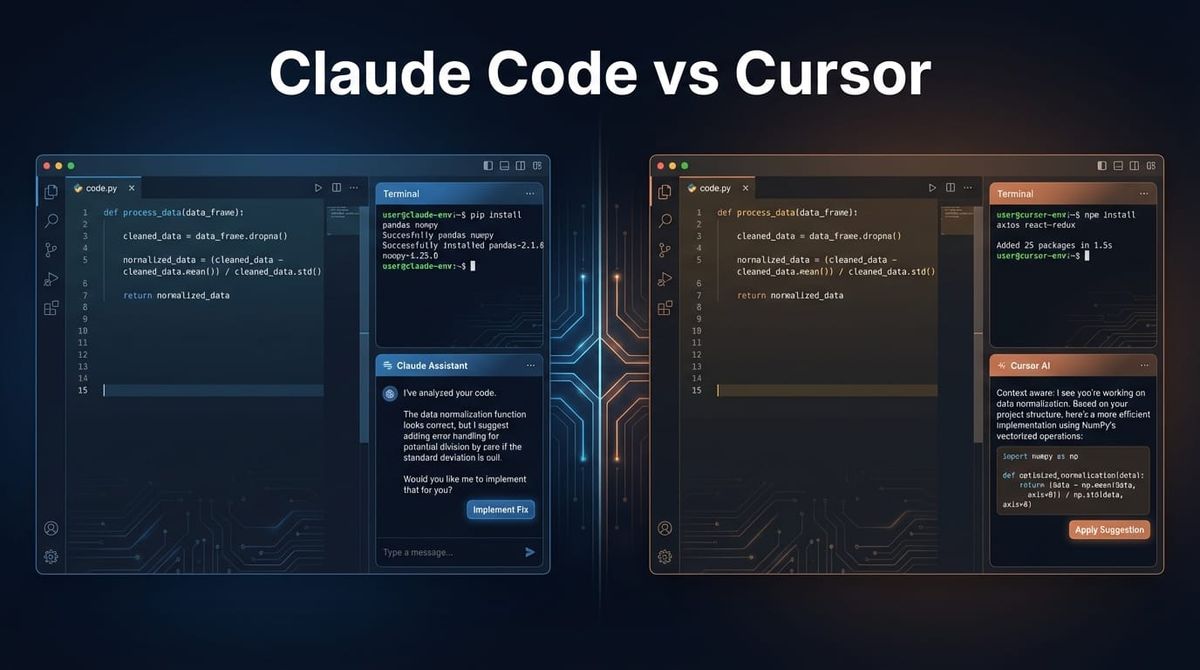
If you're comparing Claude Code and Cursor, you're probably confused about what's actually different. They both use Claude. They both help you code faster. So what's the real distinction?
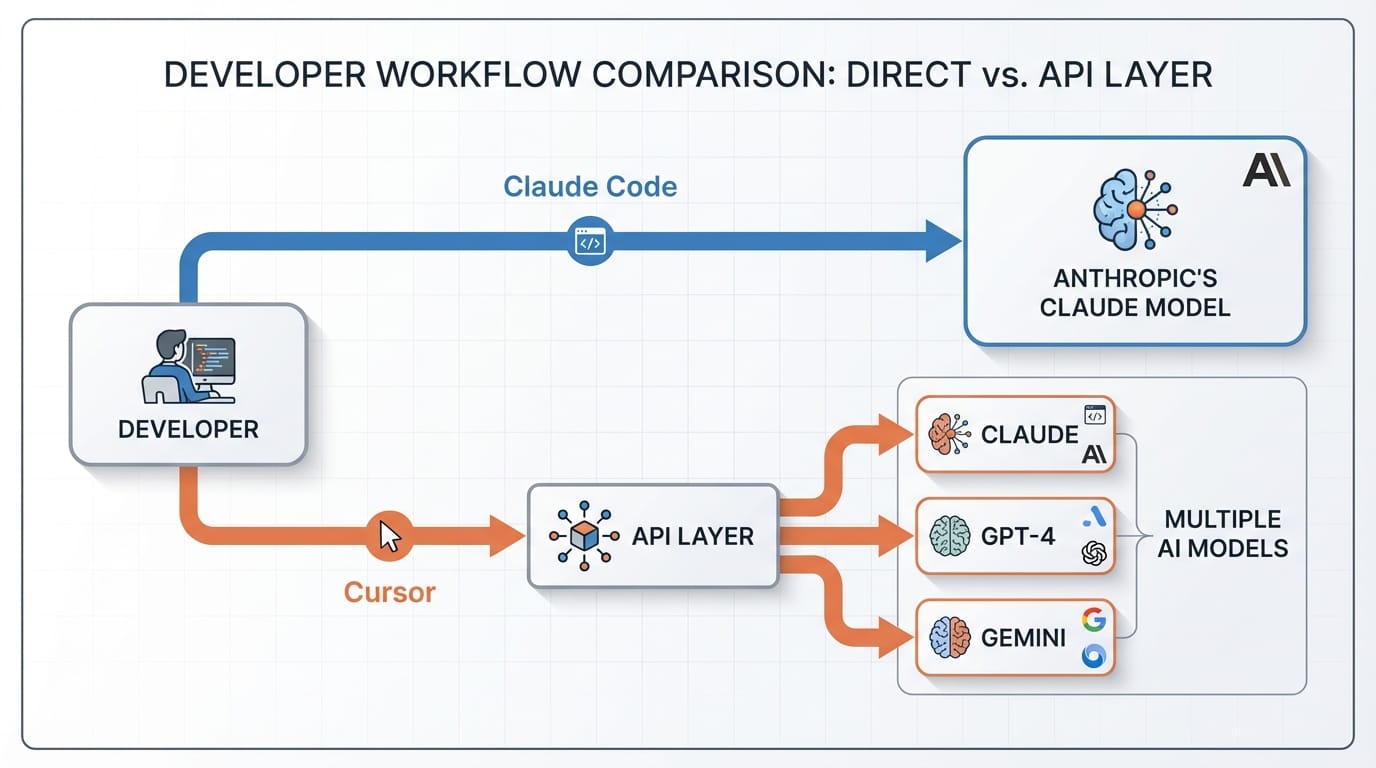
Here's the thing: Claude Code is Anthropic's official IDE. Cursor is a third-party editor that connects to Claude's API. That architectural difference changes everything about how they work, what they cost, and when each one makes sense.
We've used both extensively at Etere Studio. Here's what actually matters when choosing between them.
The Core Difference: Native vs API Integration
Claude Code is built by Anthropic specifically for their models. It's optimized for Claude's strengths, updated when Claude updates, and designed around how Claude thinks about code.
Cursor is a VS Code fork that connects to multiple AI models through APIs. Claude is one option. You can also use GPT-4, Gemini, or other models. It's model-agnostic.
This isn't just technical trivia. It affects:
- Response quality and context handling
- Cost structure
- Feature availability
- How updates roll out
Claude Code gives you the most direct path to Claude's capabilities. Cursor gives you flexibility and familiarity if you're already in the VS Code ecosystem.
Workflow and Interface Differences
Claude Code feels purpose-built. The interface is minimal. Chat is always accessible. Context management is automatic. You're not configuring much because it's already optimized for one model.
Cursor feels like VS Code with AI bolted on. Because that's literally what it is. You get all your VS Code extensions, themes, and muscle memory. AI features are layered on top.
In practice, this means:
Claude Code: Faster onboarding for AI coding. Less distraction. Better at multi-file refactors where Claude needs to understand your entire codebase.
Cursor: Familiar environment. Existing workflow intact. Better if you need specific extensions or have heavily customized setups.
We've found Claude Code is faster for greenfield projects where you want Claude driving architecture decisions. Cursor fits better when you're adding AI to an existing development setup you don't want to change.
Pricing: Not as Simple as It Looks
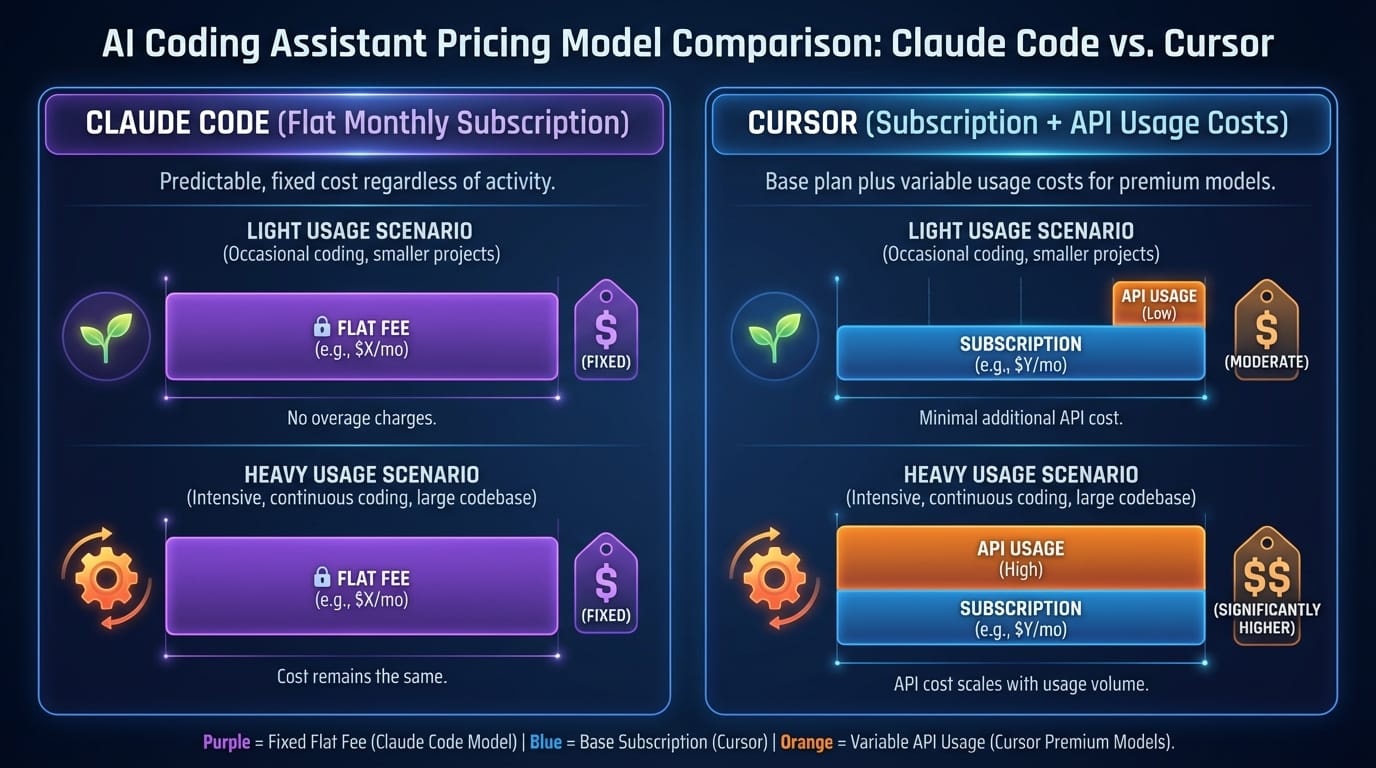
Claude Code pricing is straightforward. You pay Anthropic directly. Currently $20/month for Pro. Enterprise pricing for teams.
Cursor pricing is trickier. The editor itself is free or $20/month for Pro. But you're also paying for API calls to whichever model you use. If that's Claude, you're paying Anthropic separately for API usage.
Actual cost comparison:
- Light usage (few requests per day): Cursor can be cheaper if you stay on free tier and pay only API costs
- Heavy usage (coding all day): Claude Code is usually cheaper because the subscription is flat-rate
- Team usage: Depends on how you share API keys vs individual subscriptions
Honestly, the pricing math changes based on usage patterns. We've seen solo developers save money with Cursor and teams save money with Claude Code. Run the numbers for your specific case.
Context Handling and Code Understanding
Claude Code maintains context differently. It's designed to understand your project structure automatically. When you ask about a function, it knows related files without you specifying them.
Cursor requires more explicit context management. You tag files with @ mentions. You specify what Claude should look at. More manual, but also more control.
Neither approach is objectively better. It depends on project size and your preference for automation vs control.
For projects under 50 files, the difference is minimal. For larger codebases (500+ files), Claude Code's automatic context often feels smarter. It surfaces relevant code you forgot about.
When to Choose Claude Code
Pick Claude Code if:
- You're starting a new project and want the fastest setup
- Your team is already comfortable with AI-first workflows
- You code heavily with AI (multiple hours daily)
- You want the best possible Claude integration without configuration
- You don't need VS Code-specific extensions
We use Claude Code for most new Flutter projects. The tight integration with Claude's reasoning makes architecture discussions more productive. Claude understands the full context of our state management decisions without manual prompting.
When to Choose Cursor
Pick Cursor if:
- You have an established VS Code workflow you can't break
- You want flexibility to switch between AI models
- You use specific VS Code extensions daily
- Your usage is light enough that pay-per-API-call is cheaper
- You're experimenting and want to compare models side-by-side
Cursor makes sense for teams transitioning to AI coding. Your developers keep their familiar environment. They gradually adopt AI features without workflow disruption.
It's also better for polyglot environments where you might want GPT-4 for Python and Claude for TypeScript. Model switching is seamless.
What We Actually Use
At Etere Studio, we use both. Not trying to be diplomatic—it genuinely depends on the project.
Client projects where we're building MVPs from scratch: Claude Code. The tight integration and automatic context handling let us move faster in the architecture phase.
Internal tools and experiments: Cursor. We want to test different models for different tasks. Sometimes GPT-4 is better for specific libraries. Cursor lets us switch without changing editors.
Maintenance work on older projects: Cursor. The codebase is already in VS Code. Migration overhead isn't worth it.
The Real Question
The choice isn't about which tool is objectively better. It's about which fits your workflow and project type.
If you want the most direct, optimized Claude experience and you're comfortable with a purpose-built IDE: Claude Code.
If you need VS Code compatibility, model flexibility, and you're willing to manage context manually: Cursor.
Both tools are excellent. Both will make you faster. The wrong choice is overthinking this for weeks instead of trying both and seeing which clicks.
Building something and want a second opinion on your AI coding setup? We're happy to share what's worked for us. Get in touch