
How AI is Redefining Mobile Development: Strategy and Practical Implementation in 2026
AI in mobile development isn't future speculation anymore. It's production code running on millions of devices right now. The interesting part isn't that AI exists in mobile apps—it's how implementation patterns have shifted from "nice to have" to baseline user expectations in the past 18 months.
We're seeing this firsthand at Etere Studio. When we built our first AI-integrated Flutter app in early 2025, on-device inference was experimental. By mid-2026, clients don't ask "should we add AI?" They ask "which AI features make sense for our users?" That's a different conversation entirely.
On-Device AI: Performance vs Privacy Trade-offs
On-device AI means running machine learning models directly on the user's phone instead of making server requests. TensorFlow Lite and Core ML are the primary frameworks. In Flutter, we typically use TensorFlow Lite through the tflite_flutter package for cross-platform work, switching to platform channels for Core ML when iOS-specific optimization matters.
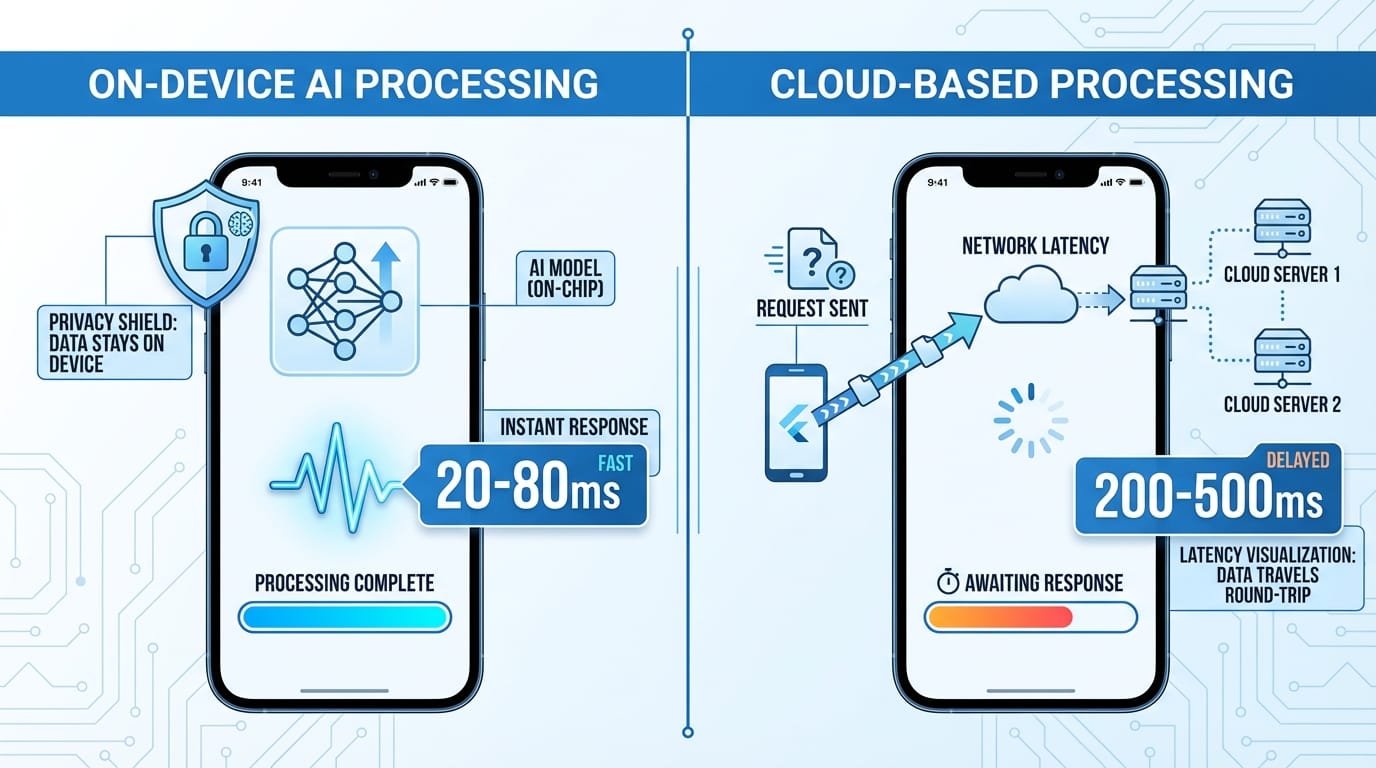
The performance argument is straightforward: a 50MB model running locally responds in 20-80 milliseconds. The same inference through an API takes 200-500 milliseconds minimum, plus whatever your backend processing adds. Users feel that difference.
But the real driver isn't speed—it's privacy. When a health app analyzes sensitive data or a productivity tool processes work documents, keeping that data on-device removes an entire class of security concerns. No data transmission. No server logs. No third-party processing agreements.
The trade-off is model size and capability. A state-of-the-art language model requires 7+ GB. On-device models are typically under 100 MB. You're choosing between sophisticated cloud AI and faster, more private local AI. In our experience, most mobile use cases favor local.
Practical example: we built a document scanning feature that extracts structured data from receipts. Cloud OCR (Google Vision, AWS Textract) gives 95%+ accuracy but costs $1.50 per 1,000 requests and requires internet. TensorFlow Lite with a custom-trained model gives 87% accuracy, works offline, costs nothing after deployment, and processes in under 100ms. For most users in most situations, the local model is better.
Performance optimization matters more with on-device AI. We've learned to:
- Quantize models from float32 to int8 (4x smaller, 2-3x faster, minimal accuracy loss)
- Lazy-load models only when needed (shaves 200-300ms off app startup)
- Use GPU delegates on supported devices (3-10x faster inference)
- Implement intelligent caching (many predictions are similar enough to reuse)
The quantization step alone typically reduces a 40MB model to 10MB while maintaining 95%+ of the original accuracy. That's the difference between an acceptable and an excellent user experience.
User Expectations: Predictive UI and Context-Aware Features
Users in 2026 expect apps to anticipate their needs. Not in a creepy way—in a "yeah, that makes sense" way.
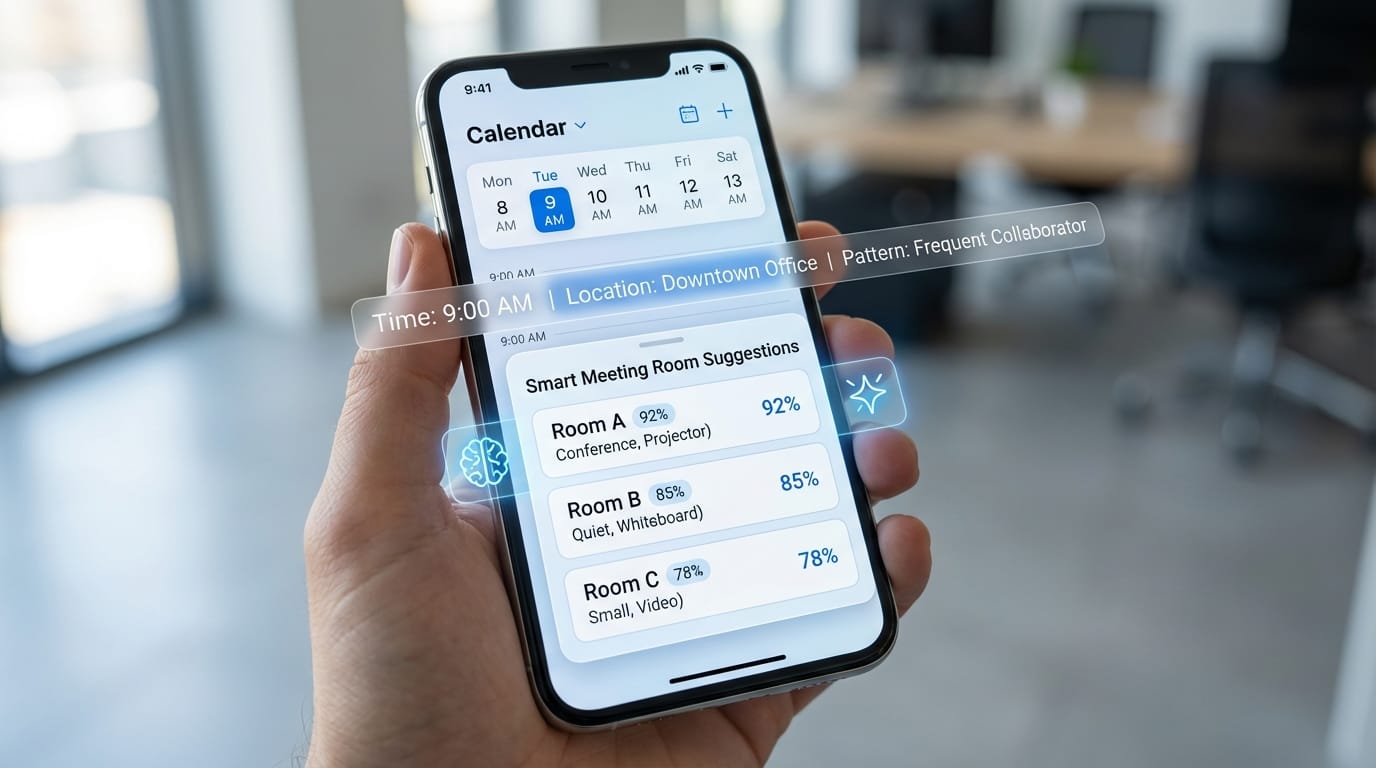
Predictive UI means the interface adapts based on patterns. A calendar app that surfaces your most-used meeting rooms at 9 AM on Tuesdays. A messaging app that suggests replies based on conversation context. A finance app that flags unusual spending before you notice it.
We implemented this in a field service app where technicians log equipment repairs. The app learned which parts fail together, which repairs take longer than estimated, which locations have specific requirements. After 2-3 weeks of usage, it started pre-filling forms with 70% accuracy. Technicians still reviewed everything, but data entry time dropped by half.
The technical pattern is: collect interaction data → train a small classification or prediction model → update the model periodically → serve predictions through the UI. The model doesn't need to be large. A 5MB TensorFlow Lite model with 20-30 features can handle most predictive UI cases.
Context-aware features go deeper. They consider time, location, user state, device sensors, and app history to change functionality. Not just what the user explicitly requested, but what they probably need given the context.
Example from a project we shipped in Q1 2026: a task management app that adjusts notification urgency based on your calendar, location, and past completion patterns. A task due "today" triggers a gentle reminder at 10 AM if you're at the office (where you historically complete those tasks) but holds the reminder until 6 PM if you're traveling (when you historically ignore them).
The AI here isn't complex—it's a decision tree model trained on user behavior. But the impact is significant. Notification engagement went from 12% to 41% because the app stopped interrupting users at the wrong times.
Implementing context-aware features requires thinking about:
- What context signals actually matter (not just what's available)
- How to collect data ethically (explicit opt-in, clear value exchange)
- Graceful degradation when context is missing or uncertain
- User controls to override predictions (AI should assist, not dictate)
The last point matters more than most teams realize. We always include a quick way to disable or adjust AI features. Surprisingly few users do, but knowing they can builds trust.
AI-Assisted Development Tools: GitHub Copilot and Beyond
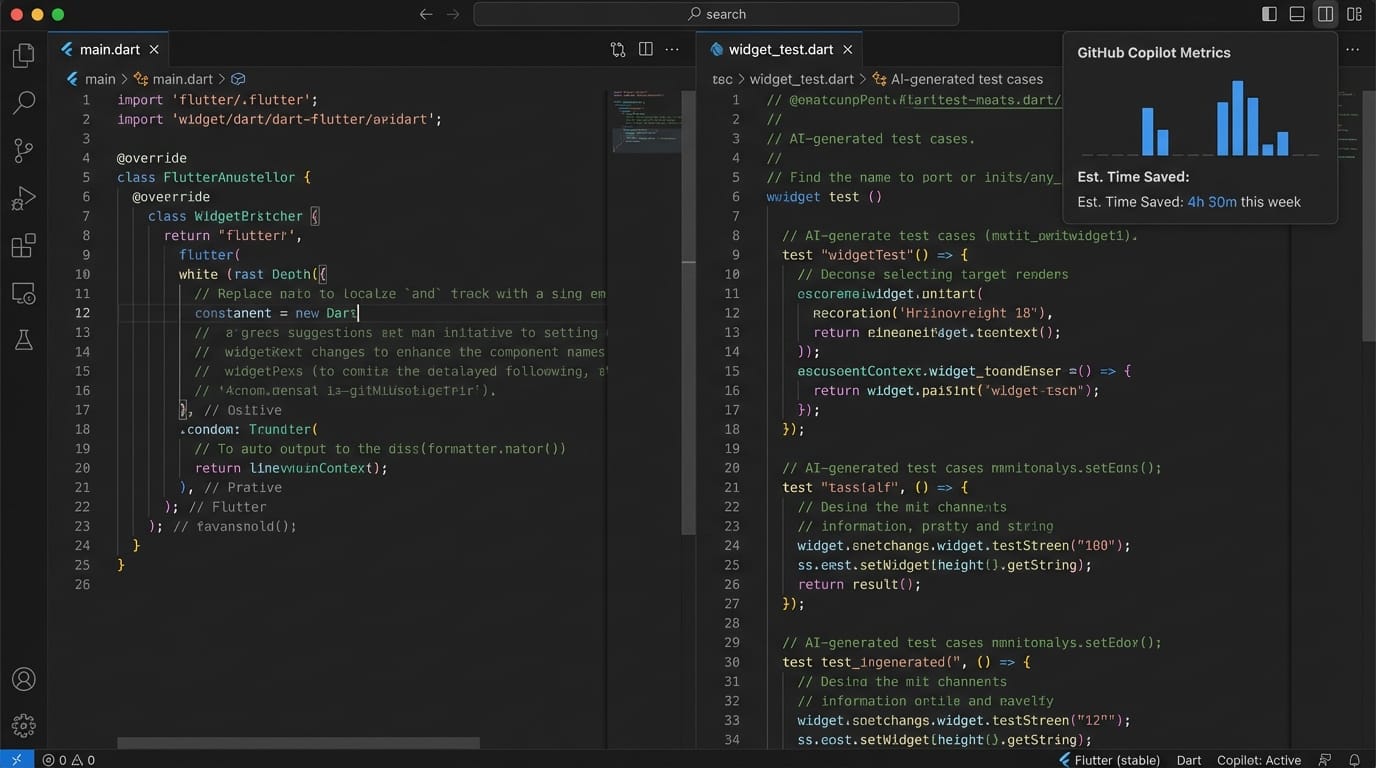
AI isn't just changing what we build—it's changing how we build. GitHub Copilot, Cursor, and similar tools have fundamentally shifted development velocity at Etere Studio.
Honestly, I was skeptical in 2023. Early Copilot suggestions were hit-or-miss. Now in 2026? We're generating 30-40% of boilerplate code through AI assistance. Not just autocomplete—actual implementation of well-understood patterns.
Where AI coding tools excel:
- Boilerplate and repetitive code: Form validation, API service classes, data models, widget builders. The stuff you've written 100 times before.
- Pattern application: "Create a BLoC for user authentication with biometric support" generates 80% correct code. You review and adjust, but the foundation is solid.
- Test generation: Given a function, AI can generate comprehensive test cases including edge cases you might miss.
- Documentation: AI reads your code and writes detailed comments, API docs, and README sections.
- Bug prediction: Tools like DeepCode and Amazon CodeGuru now flag potential issues before they reach production with 60-70% accuracy.
Where AI still struggles:
- Architecture decisions (it suggests generic patterns, not project-specific solutions)
- Complex business logic (it generates syntactically correct but semantically wrong code)
- Performance optimization (it doesn't understand your performance constraints)
- Security considerations (it generates code that works but may have vulnerabilities)
In practice, we use AI tools as a senior developer would use a junior developer: to accelerate well-defined tasks while maintaining full code review and responsibility.
One unexpected benefit: AI tools excel at cross-platform translation. We can describe iOS-specific functionality and ask for Flutter equivalents. The tool understands both contexts and suggests appropriate implementations. This has saved probably 20-30 hours per project on platform research alone.
The development workflow in 2026 looks like:
- Define feature requirements and architecture (human)
- Generate implementation scaffolding (AI-assisted)
- Implement complex business logic (human with AI suggestions)
- Generate tests (AI-generated, human-reviewed)
- Review, refactor, optimize (human)
- Generate documentation (AI-assisted)
We're completing projects in 6-8 weeks that would have taken 10-12 weeks in 2024. Not because we're working faster—because we're spending time on problems that actually require human judgment instead of typing boilerplate.
Real Implementation: AI in Etere's 3-Week Apps
We launched our "3-Week Apps" offering in late 2025: MVPs with one core AI feature, delivered in three weeks. Here's what that looks like in practice.
Client: B2B SaaS company needing a mobile companion for their web platform. Core feature: smart document scanning that extracts data and matches it to their internal system.
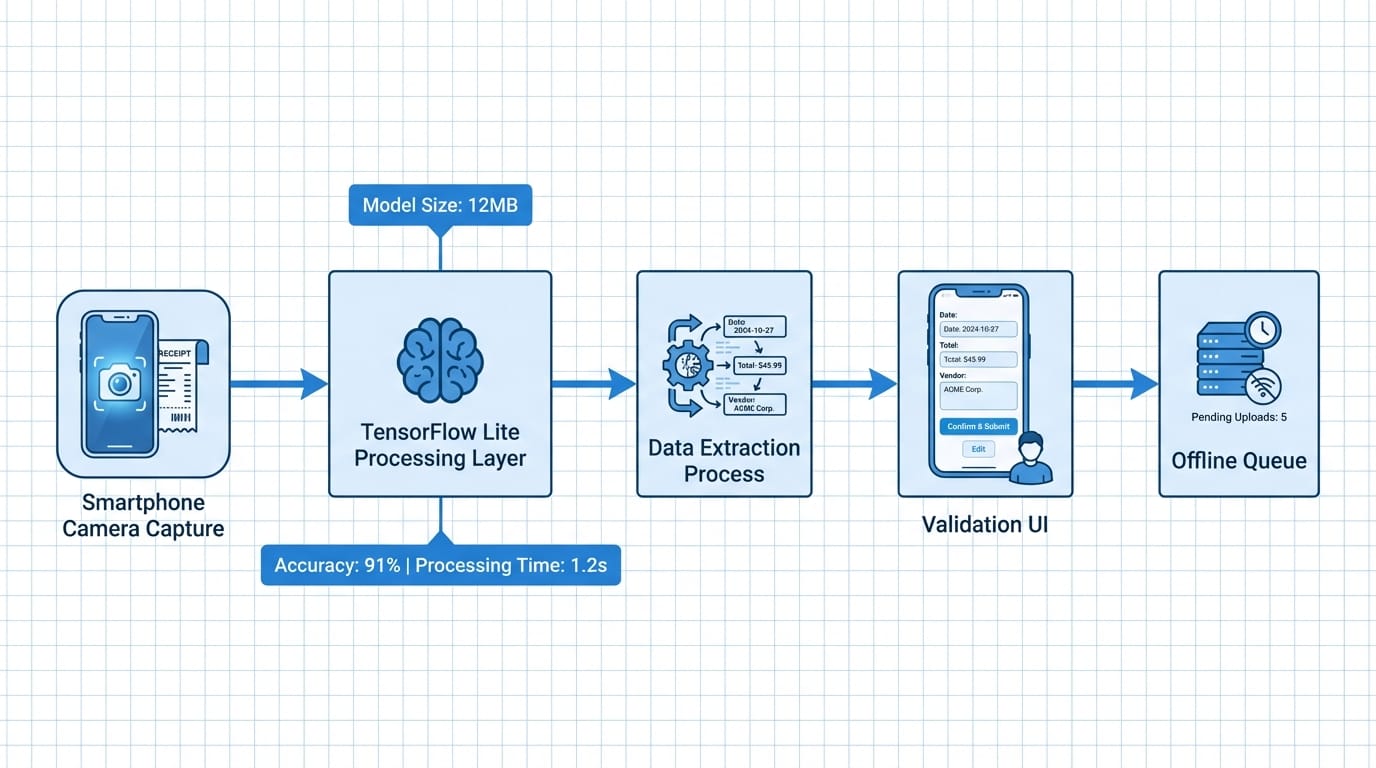
Week 1: Architecture and data pipeline. We integrated TensorFlow Lite with a custom OCR model and designed the data flow from camera → ML model → validation → API sync. Built the basic Flutter UI and camera integration. The ML model was a pre-trained text detection model (CRAFT) plus a custom-trained recognition model for their specific document types.
Week 2: Implementation and training refinement. Connected all the pieces. Discovered the model struggled with certain lighting conditions, so we added pre-processing (contrast adjustment, perspective correction) before inference. This improved accuracy from 78% to 91%. Built the validation UI where users confirm or correct extracted data.
Week 3: Polish and optimization. Reduced model size from 45MB to 12MB through quantization. Added offline queuing for scans taken without internet. Implemented smart caching to avoid re-processing the same document. Beta tested with 5 users, fixed edge cases.
Result: Shipped on time. 91% extraction accuracy. Average processing time 1.2 seconds per document. Zero server costs for the ML inference (everything on-device). Client's users were scanning 200+ documents per day within the first month.
The key insight from this project: AI features don't require months of data science work. With the right tools and pre-trained models, you can integrate meaningful AI in 3-5 days. The remaining time is standard mobile development—UI, API integration, error handling, testing.
Another project from Q4 2025: A fitness app with AI-powered form correction. Users record exercise videos. The app analyzes body positions using PoseNet (a TensorFlow model for pose estimation) and gives real-time feedback.
We used a pre-trained PoseNet model (2.6MB) running at 30fps on mid-range Android devices. No custom training needed. The challenging part wasn't the AI—it was designing clear visual feedback and handling varied recording conditions (lighting, angles, occlusions).
This pattern repeats: the AI component is often the easiest part. The hard work is understanding the user problem, designing the right interaction, and handling edge cases gracefully.
The 2026 Reality: AI as Standard, Not Optional
We're past the "AI feature as differentiator" phase. In 2026, AI capabilities are baseline expectations for mobile apps, similar to how push notifications or offline sync were exotic in 2014 and standard by 2018.
Users don't think "this app has AI." They think "this app understands what I need" or "this app saves me time." The AI is invisible infrastructure.
For product teams, this means:
AI should solve specific problems, not be a feature in itself. "Our app uses machine learning" isn't compelling. "Our app reduces data entry by 60% by predicting what you need" is.
On-device AI is default unless you have a specific reason for cloud. Privacy, speed, and cost favor local inference for most mobile use cases. Use cloud AI when you need massive models or real-time updates.
Start with pre-trained models. TensorFlow Hub and similar repositories have thousands of models ready to use. Custom training is for optimization, not initial implementation.
Measure actual user impact, not AI metrics. Model accuracy matters less than task completion time, user satisfaction, and feature adoption. An 85% accurate model users love beats a 95% accurate model they ignore.
Plan for model updates. Unlike traditional code, ML models degrade as user behavior shifts. Build infrastructure to collect feedback, retrain models, and push updates without app releases.
Looking forward, the next 12-18 months will likely bring:
- Smaller, more efficient models (we're already seeing 1-2MB models approaching larger model performance)
- Better on-device training (models that learn from individual users without centralized data)
- Standardized AI frameworks in Flutter and React Native (easier integration, less custom code)
- More AI-specific regulations (especially around transparency and bias)
For mobile developers, AI literacy is becoming as fundamental as understanding databases or networking. Not everyone needs to train models, but everyone should understand what's possible, what's practical, and how to integrate AI responsibly.
Making the Strategic Decision
If you're evaluating AI for your mobile app, here's what we've learned actually matters:
Start with the problem, not the technology. "Should we add AI?" is the wrong question. "What takes our users too much time?" or "Where do users abandon our app?" are better starting points. AI might be the solution. It might not.
Prototype quickly with existing models. Before committing to custom AI development, test with off-the-shelf models. TensorFlow Hub has pre-trained models for text, images, audio, and sensors. Build a rough integration in 2-3 days and see if the concept works.
Budget for iteration. First-attempt AI rarely works perfectly. The documented model accuracy ("95% on benchmark datasets") means little with your actual data. Plan for 2-3 refinement cycles.
Consider hybrid approaches. Start with on-device inference. Fall back to cloud for edge cases. This gives you the speed and privacy of local AI with the capability of cloud AI when needed.
Think about the data pipeline early. ML models need data to improve. How will you collect it? How will you label it? How will you retrain? These questions matter more than model architecture.
AI in mobile development isn't optional anymore. But implementation doesn't have to be overwhelming. Start small, measure impact, iterate based on user behavior.
Thinking about AI strategy for your mobile app? We've integrated AI in 15+ production apps in the past year. Let's talk about what makes sense for your specific case. Get in touch